

How to modify the log serial port in TuyaOS T3 development?
Last Updated on:2025-04-17 06:59:06
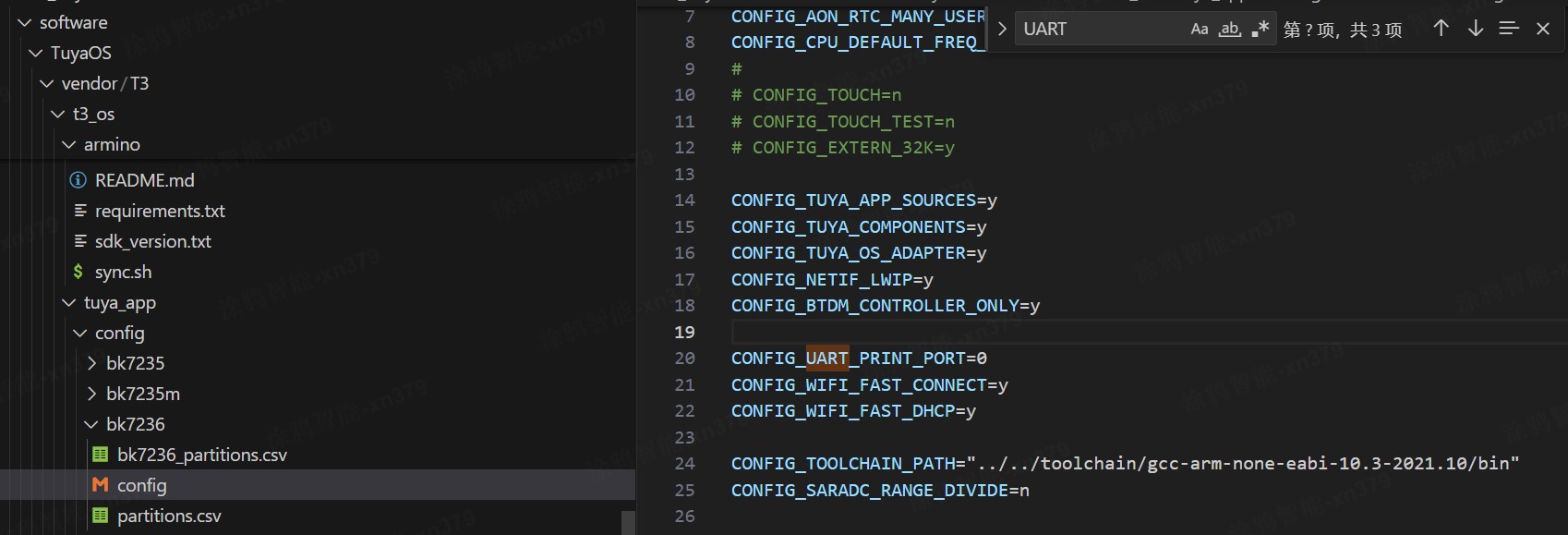
1. Find the path software/TuyaOS/vendor/T3/t3_os/tuya'app/config/bk7236/config
2. Configure the macro CONFIG-URT-PRINTPORT (default 1), for example: set to UART0, then configure CONFIG-URT-PRINTPORT 0 (note that UART0 is an authorized serial port and is not recommended as a log serial port, otherwise the module burning authorization will fail to enter production testing)
Is this page helpful?
YesFeedbackMarketing Cooperation
Business Cooperation
Customer Service
Media Inquiry






Click for services and help
Help Center
Consult
(001)844-672-5646
Submit Question