

Why can't I find an entry to watch videos on the public version panel of the composite sweeper?
Last Updated on:2025-02-20 06:10:16
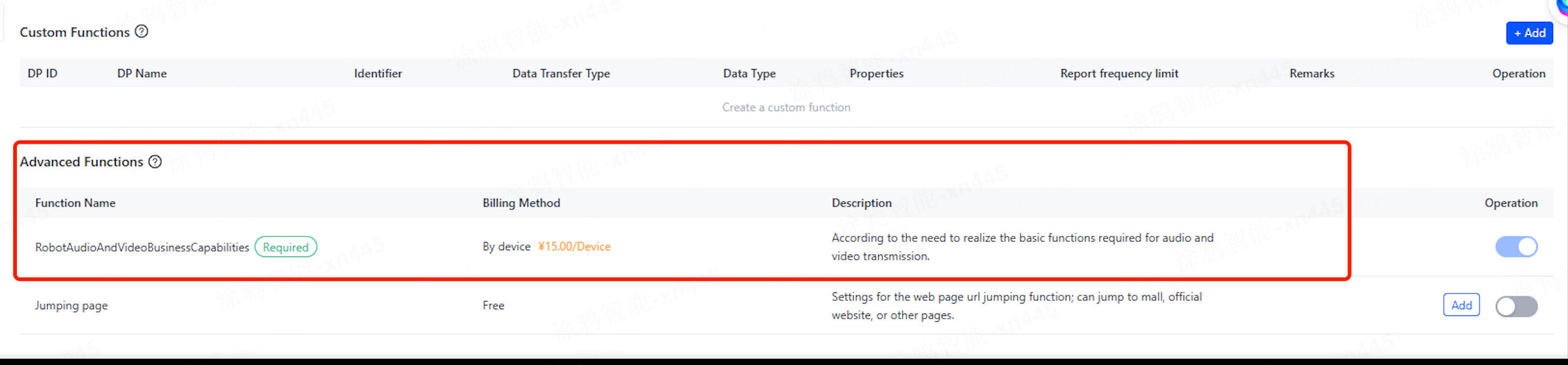
1. First, confirm whether the advanced audio and video capabilities are enabled, as shown in the figure:
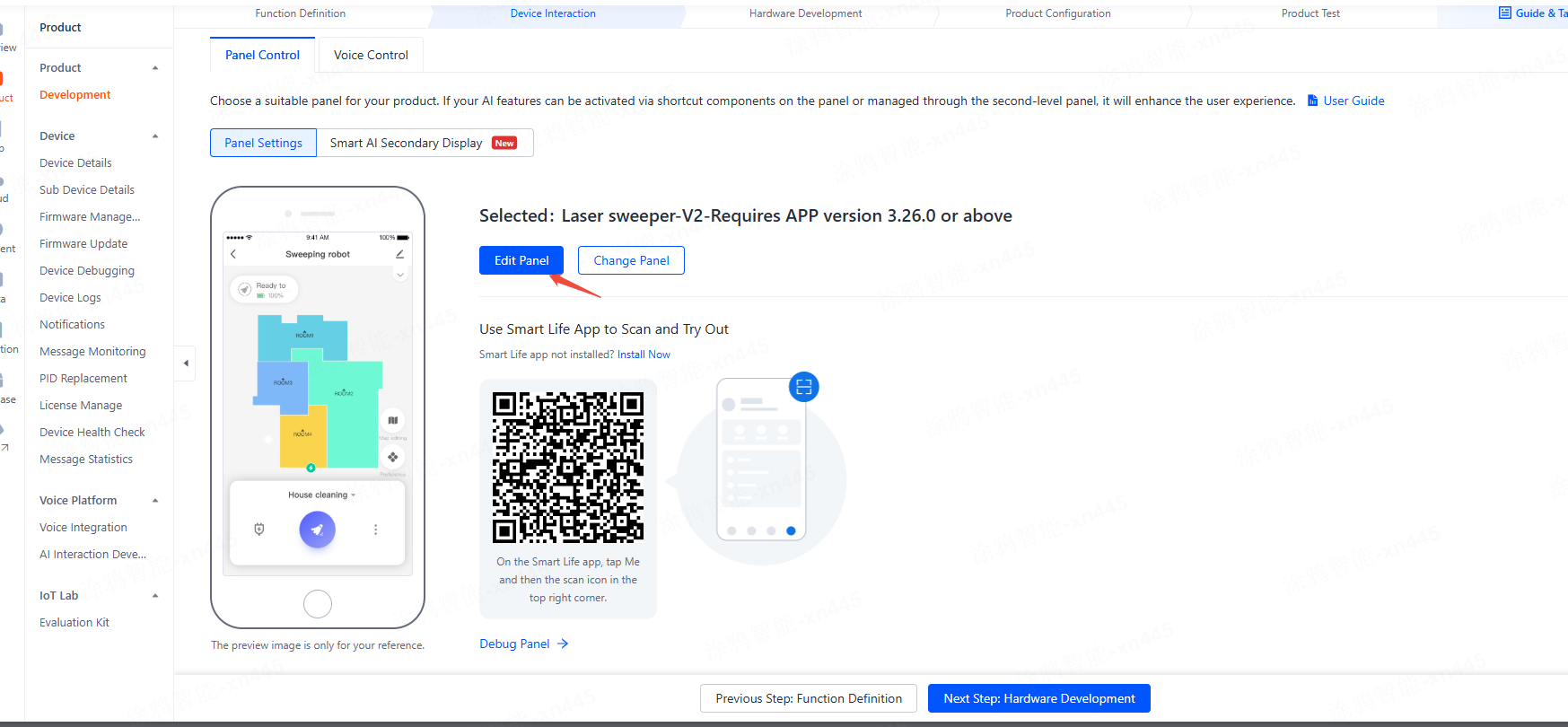
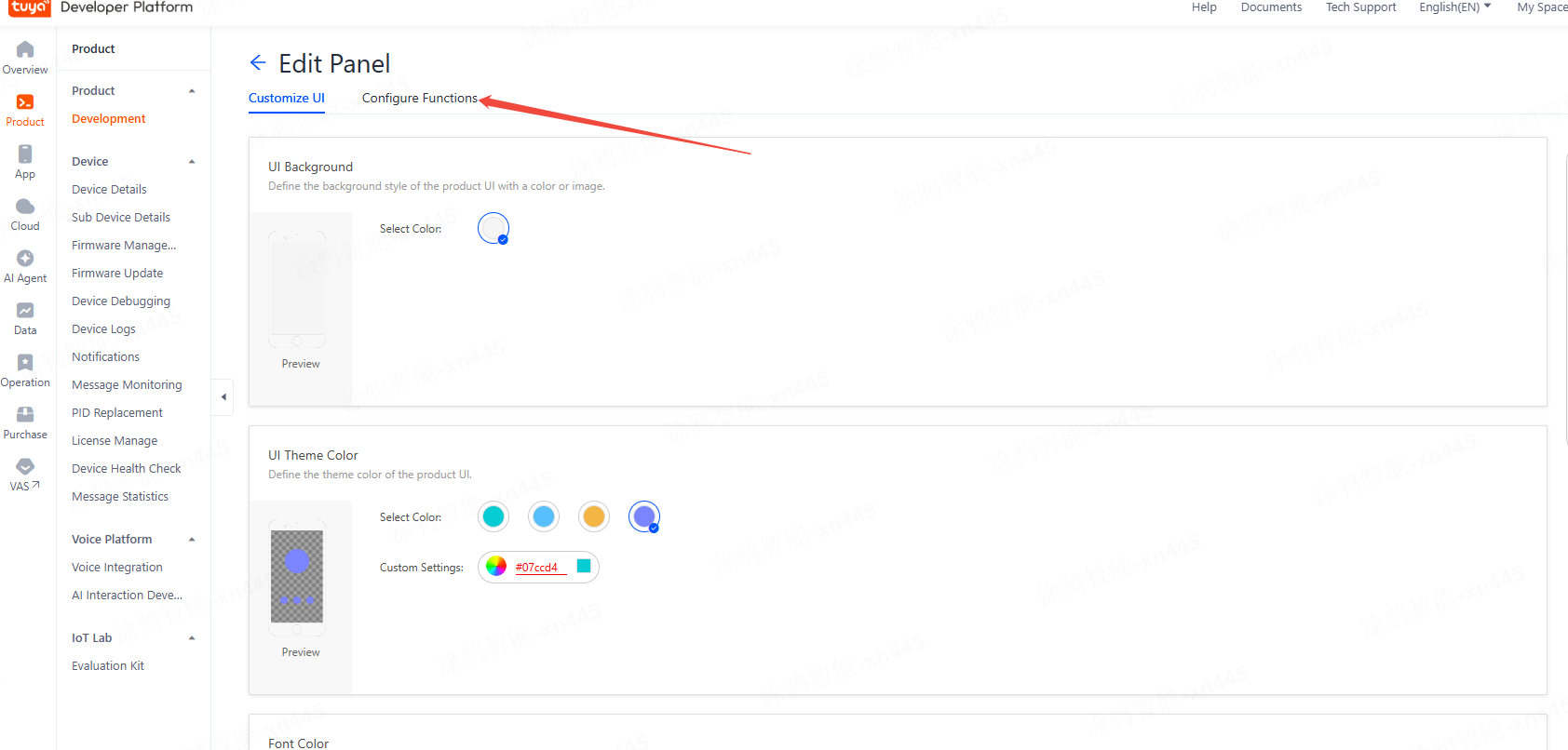
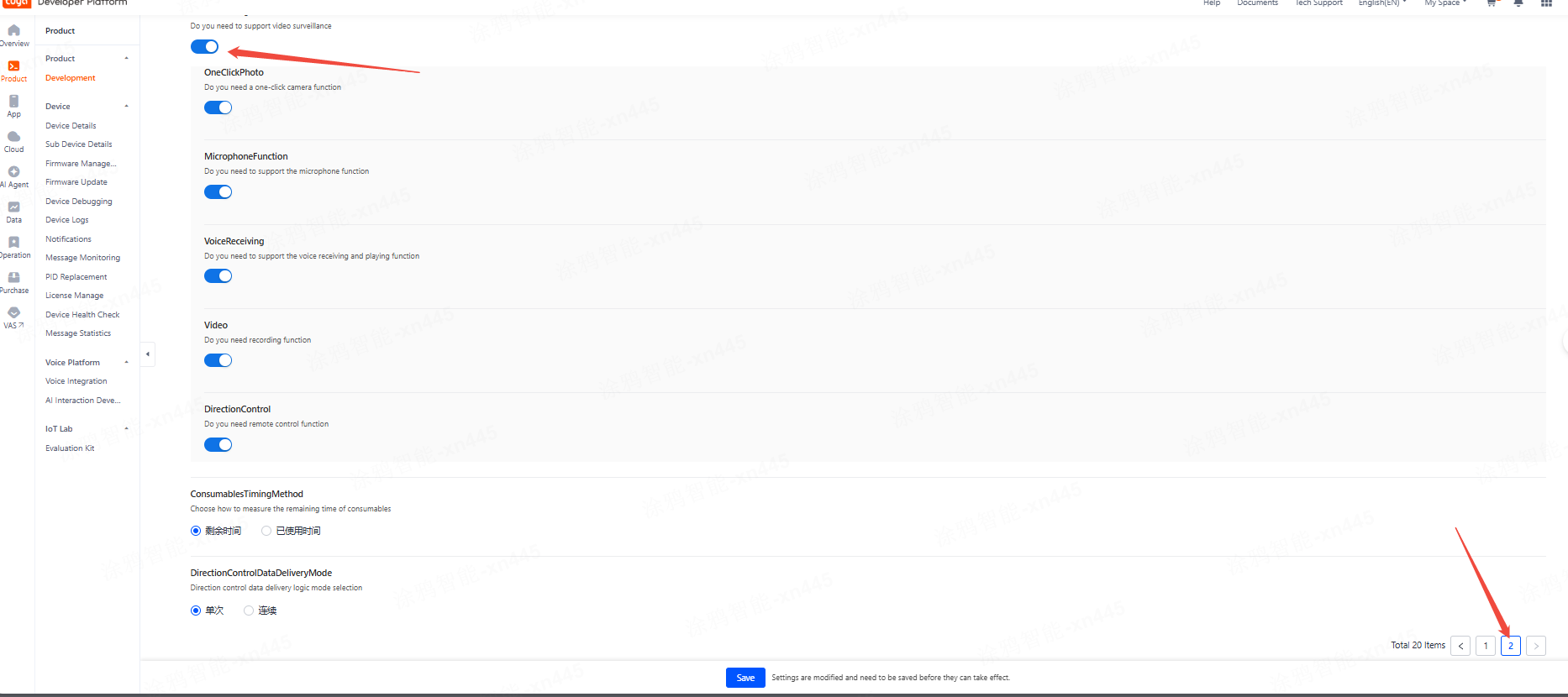
2. On the selection panel page, click Edit Panel, select Configure Functions, and then find and enable the video surveillance function.
3. Clear the app cache, and then pull down the device list.
Is this page helpful?
YesFeedbackMarketing Cooperation
Business Cooperation
Customer Service
Media Inquiry






Click for services and help
Help Center
Consult
(001)844-672-5646
Submit Question