

RTL8720DN How to use the original factory tool for burning?
Last Updated on:2024-06-18 09:58:47
I. Wiring
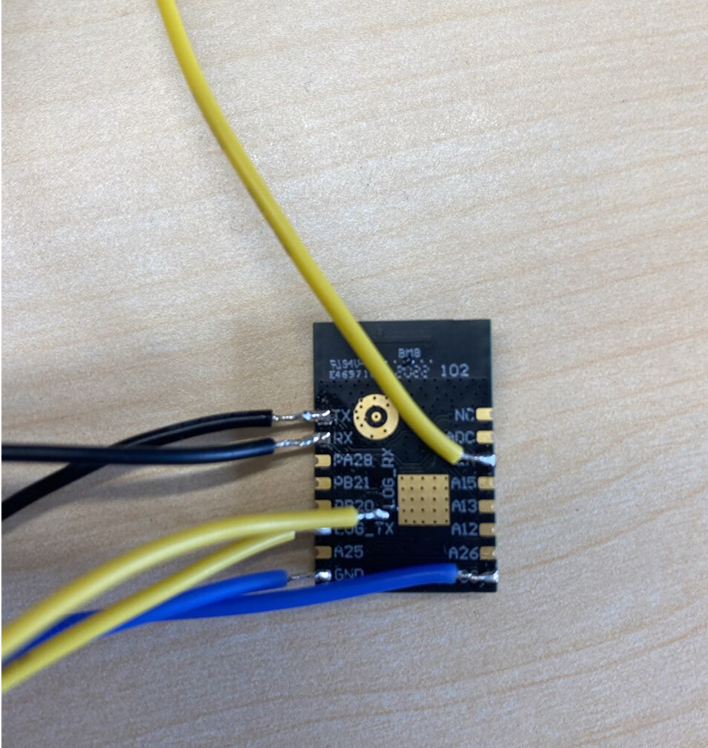
To program with the original factory programmer, use log_TX and log_RX (yellow line in the image below) for Tuya upper computer authorization with TX and RX (user serial port, black line in the image below), then connect VCC and GND.
II. Original Factory Tool Programming
1. Original Factory Tool Download
2. Downloading the Program
Operation steps:
- First, power off the module
- Connect the module's log_TX to ground, then power on the module (ensure that LOG_TX is at low level when the module is powered on, then the module enters programming mode)
- Connect the module's LOG_TX to the serial port's RX, and LOG_RX to the serial port's TX
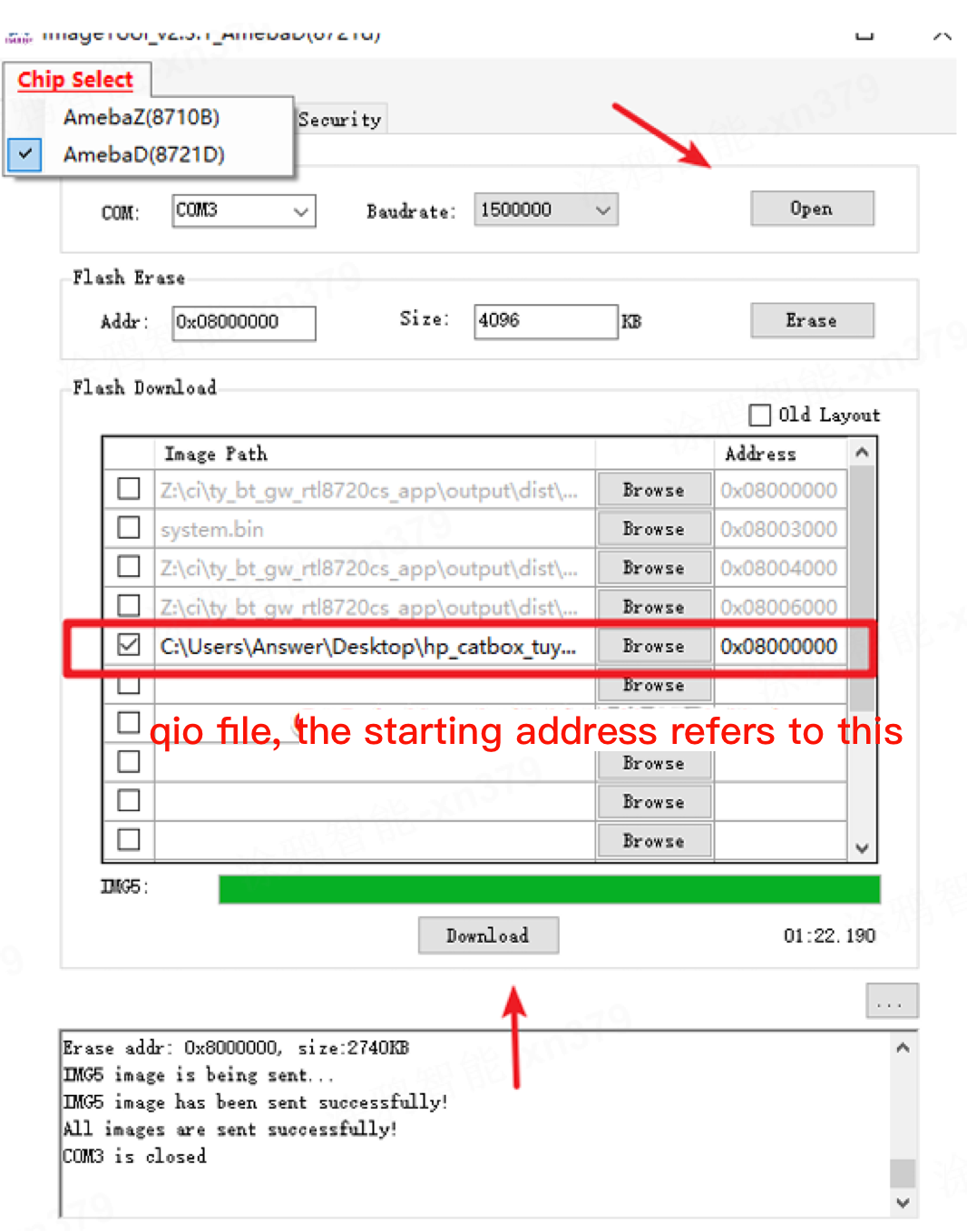
- Open the programming software, configure as shown below, click Download, and the log below will indicate a successful programming.
3. Input ATSC to Run the Program
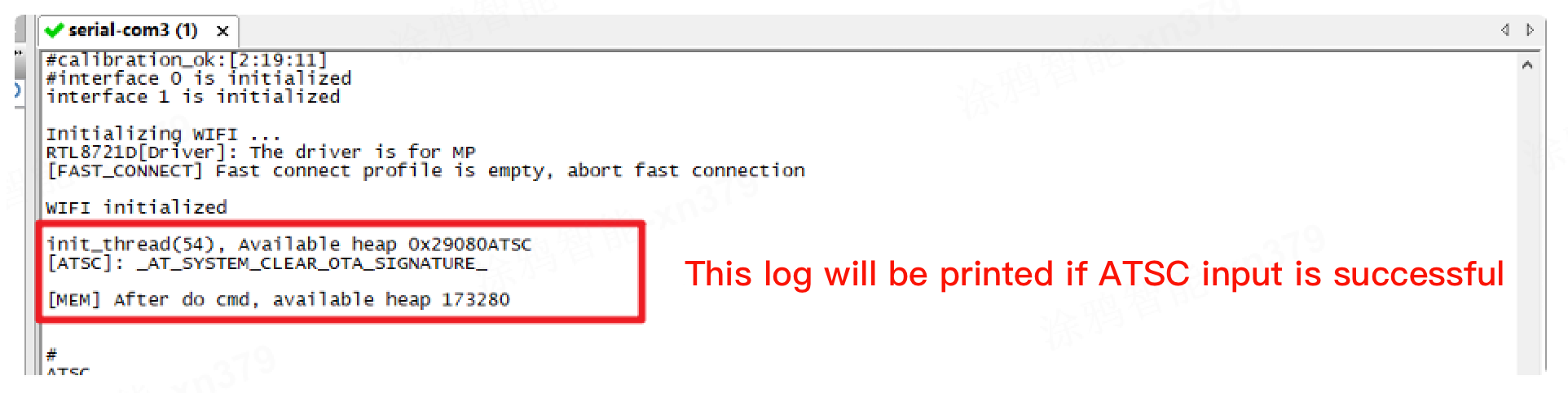
After the firmware is programmed, open the serial port software, restart the module and the log as shown will be displayed. Then select the log serial port number, use the serial port tool to send the input ATSC\r\n(Note that you need to add carriage return and line feed, otherwise it may fail to start) string sending, as shown in the image:
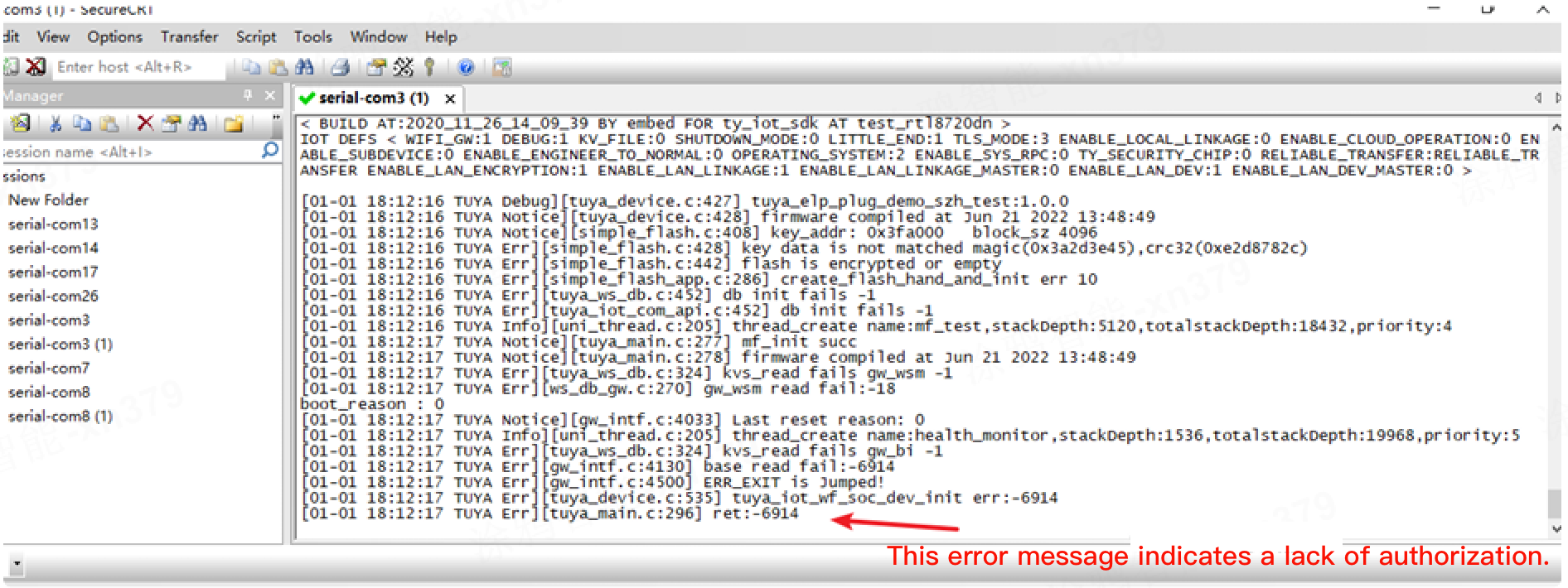
After inputting, restart the module, and the program will run normally, as shown in the image:
Is this page helpful?
YesFeedbackMarketing Cooperation
Business Cooperation
Customer Service
Media Inquiry






Click for services and help
Help Center
Consult
(001)844-672-5646
Submit Question