

TuyaOS How to parse the DP point data of the networking single product framework?
Last Updated on:2024-05-07 02:11:42
Tuyaos networking single product development method DP point requires developers to parse in the SDK, the steps are as follows:
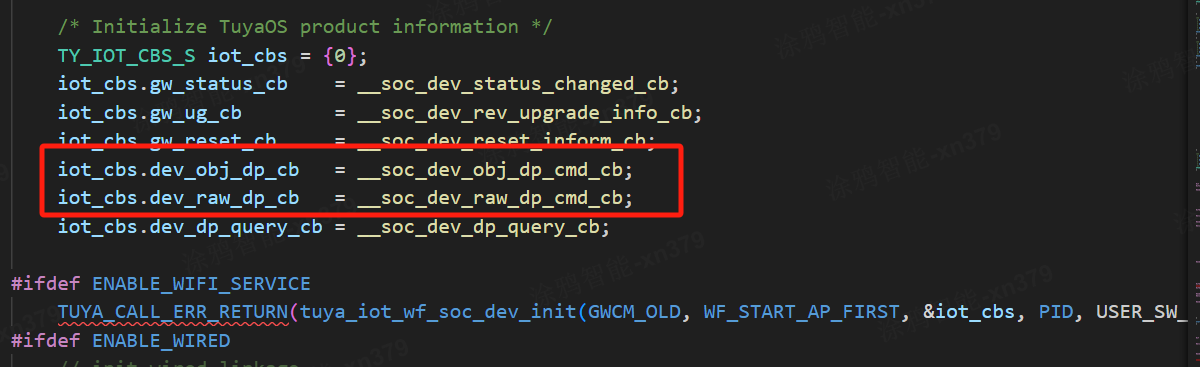
1. Register DP data issue callback function
Tuya OS divides DP (Data Point) into object and RAW types, except for RAW type, all will enter the object type callback
- dev_obj_dp_cb: Notifies the developer of the issuance of obj type DP command.
- dev_raw_dp_cb: Notifies the developer of the issuance of raw type DP command.
- Object Type (Object)
- Boolean: boolBinary variable that is either true or false. For example, the switch function, on/off.
- Numeric: valueSuitable for linearly adjustable data types. For example, temperature adjustment, temperature range 20-40°C.
- Enumeration: enumCustomized finite set of values. For example, work gears, low/middle/high.
- Fault: bitmapUsed for the display of multiple states, generally dedicated to the display and statistics of faults.
- String: stringFunction transmitted in the form of a string, generally used for more complex functions, up to 255 bytes.
Transparent Type (Raw)
Function transmitted in Hex format (hexadecimal), generally used for more complex functions.
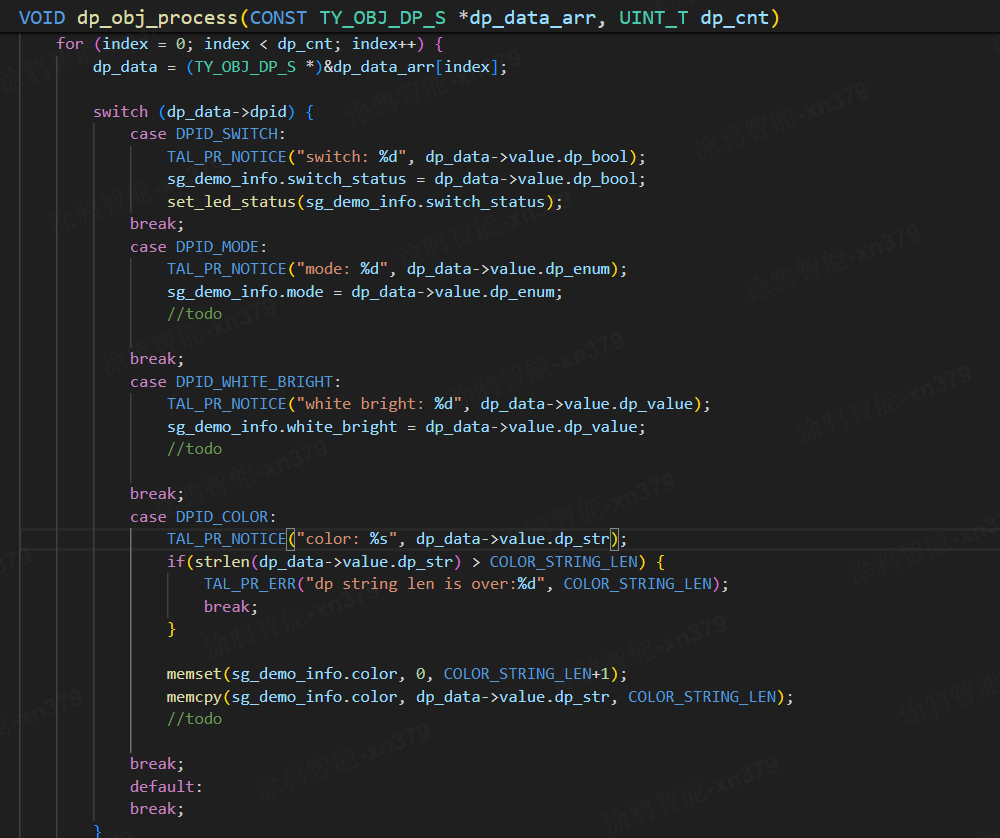
2. Process DP data
The data structure of the DP point is as follows:
typedefstruct {/** dp id */BYTE_T dpid;/** dp type, see DP_PROP_TP_E */DP_PROP_TP_E type;/** dp value, see TY_OBJ_DP_VALUE_U */TY_OBJ_DP_VALUE_U value;/** dp happen time. if 0, mean now */UINT_T time_stamp;} TY_OBJ_DP_S;
The value further divides the data into 5 types, corresponding to value type, enumeration type, string type, boolean type, and bitmap (fault) type.
Different combinations of data take the corresponding data type, tuyaos_demo_quickstart has made an example.
Is this page helpful?
YesFeedbackMarketing Cooperation
Business Cooperation
Customer Service
Media Inquiry






Click for services and help
Help Center
Consult
(001)844-672-5646
Submit Question