

How to change the phone number of the developer platform?
Last Updated on:2024-07-26 07:08:26
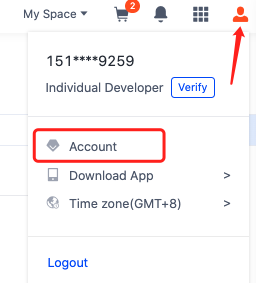
1. Log in to the developer platform, hover over the top right corner, click on the Account icon to enter.
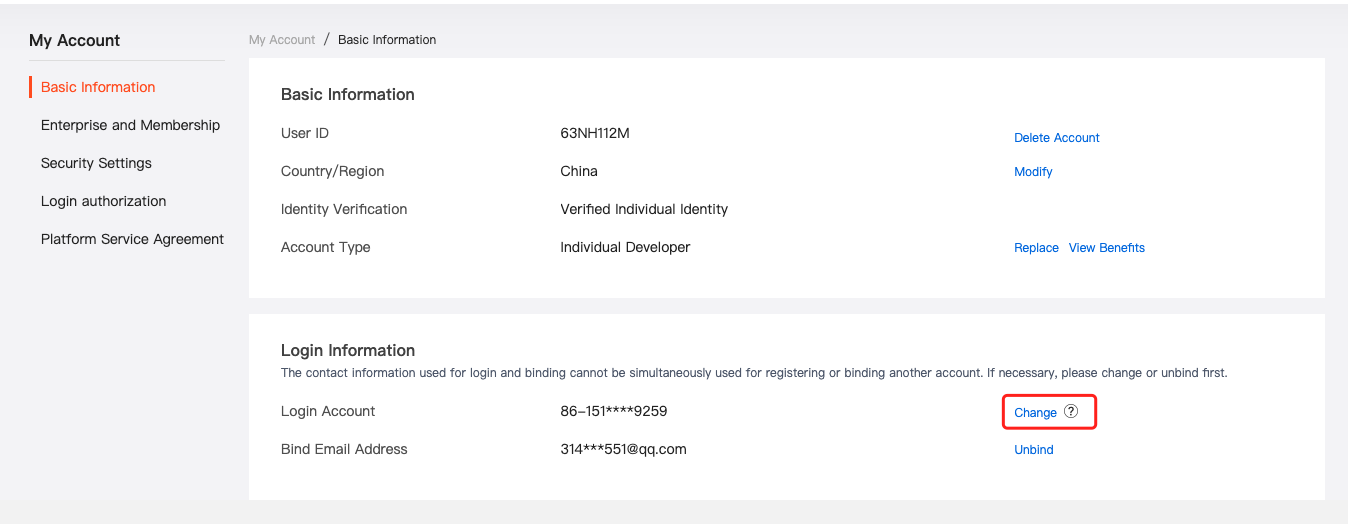
2. Click on Change, follow the process to verify your identity, change the account, and complete the step-by-step operations.
Is this page helpful?
YesFeedbackMarketing Cooperation
Business Cooperation
Customer Service
Media Inquiry






Click for services and help
Help Center
Consult
(001)844-672-5646
Submit Question