

How to change the icon of the product displayed in the App?
Last Updated on:2024-07-11 03:38:03
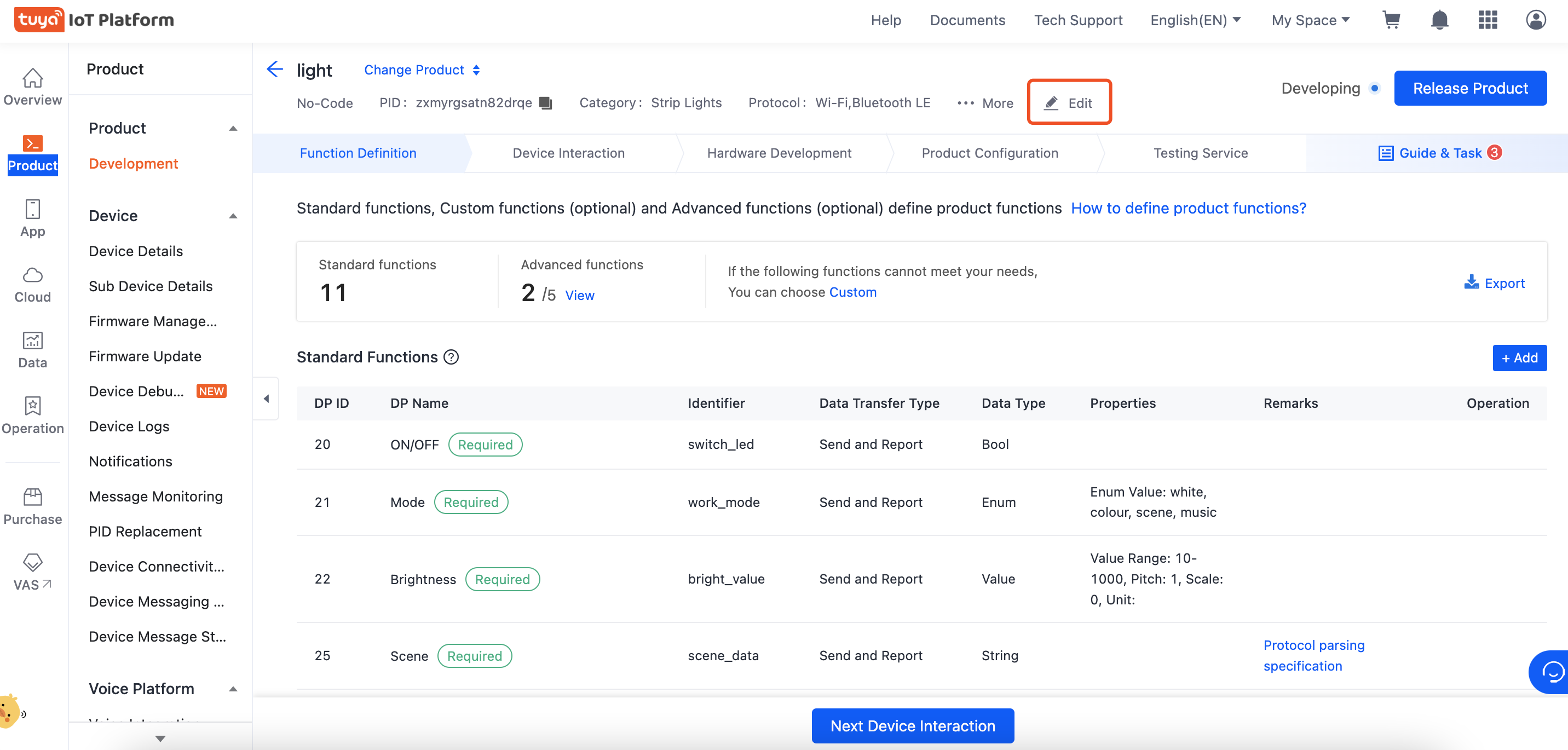
You can edit the product icon by selecting "Product" in the Tuya platform, selecting the product you want to modify, entering the development page, and clicking "Edit" at the top. it will take 15 minutes to take effect after the name is modified. If the device has been added to the App, you need to remove the device on the phone and reconnect it to take effect.
Is this page helpful?
YesFeedbackMarketing Cooperation
Business Cooperation
Customer Service
Media Inquiry






Click for services and help
Help Center
Consult
(001)844-672-5646
Submit Question