

How do I bind my email address to my Tuya Developer Platform account?
Last Updated on:2026-05-13 07:58:05
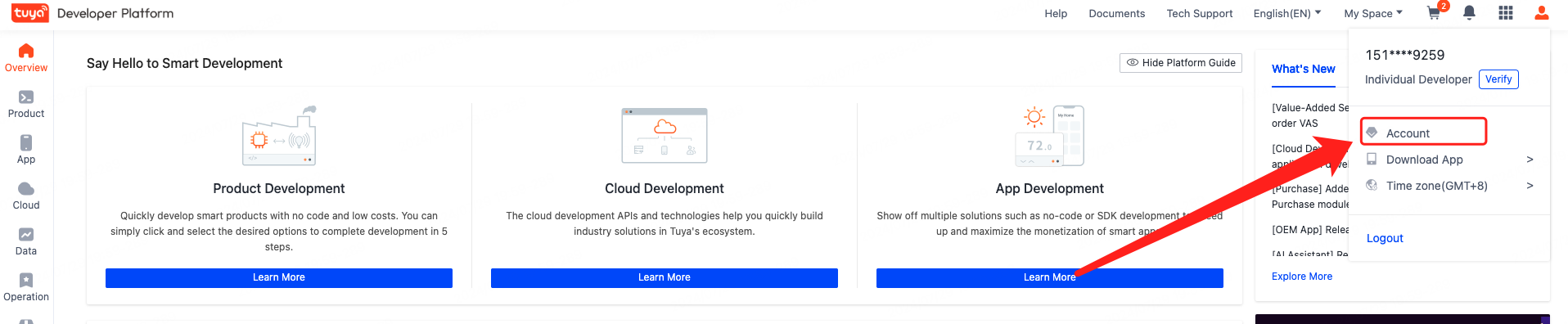
Log in to Tuya Developer Platform. Click the user profile icon in the top right corner and select Account.
On the page that appears, bind or unbind your email address in the Basic Information section.
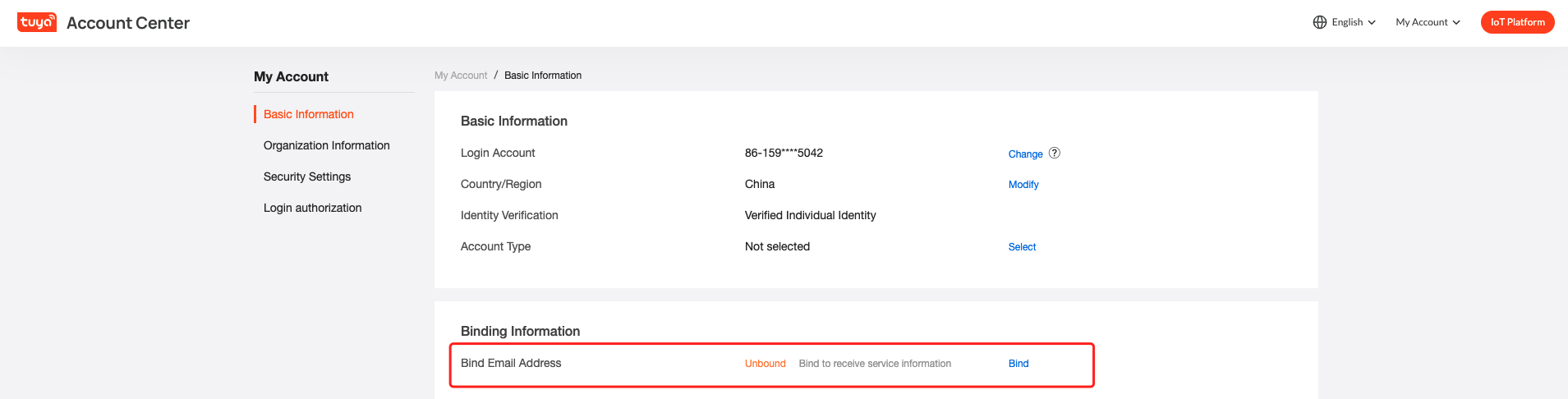
In the Contact Information section, enter your email address.
If you cannot unbind, you can click the link to submit a work order, and Tuya engineers will unbind it for you in the background.
User Center: https://myaccount.tuya.com/account
Is this page helpful?
YesFeedbackMarketing Cooperation
Business Cooperation
Customer Service
Media Inquiry






Click for services and help
Help Center
Consult
(001)844-672-5646
Submit Question