[Property Manager] Energy Management
Last Updated on:2023-05-29 05:49:58
Total Energy
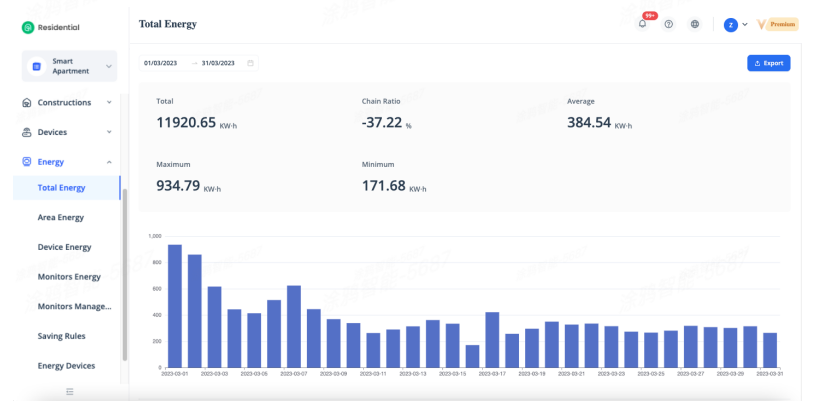
Total energy consumption statistics, including accumulative energy consumption, average energy consumption, maximum energy consumption, minimum energy consumption, chain ratio, support the selection of any time period and time dimension, and graphical reports based on time dimension statistics.
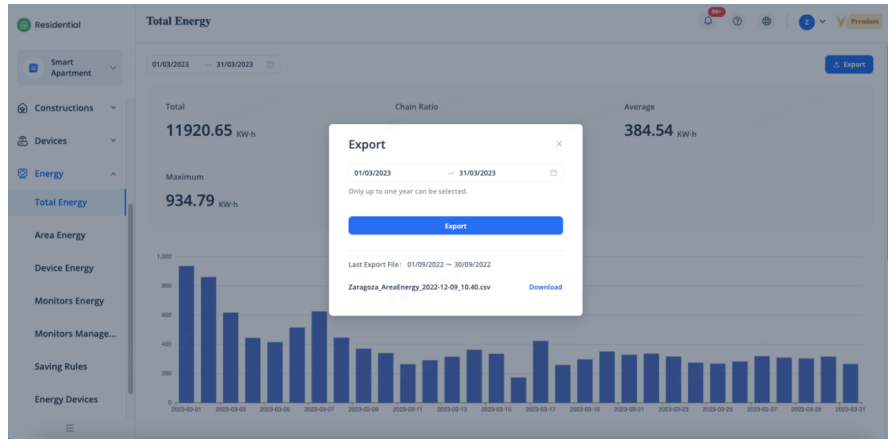
The export of total energy consumption data supports the selection of any time period, and supports the export of energy consumption data for a maximum of one year.
Area Energy
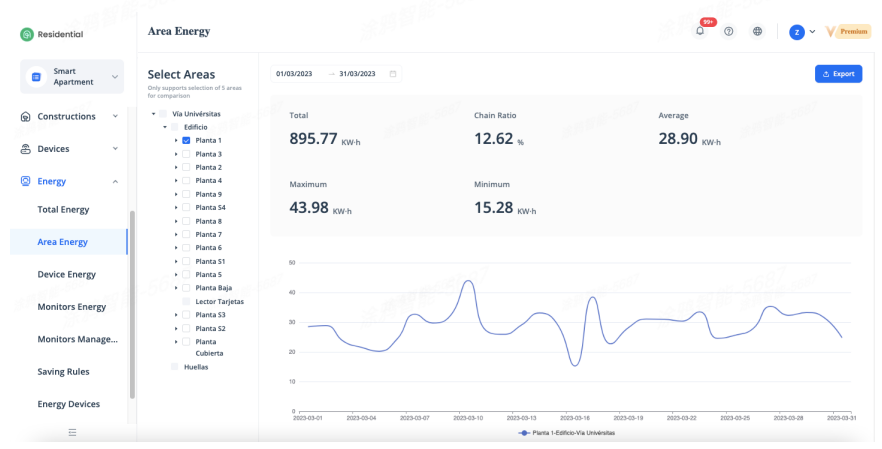
Area energy consumption can collect energy consumption data according to the spatial structure of the property. Area energy consumption statistics include accumulative energy consumption, average energy consumption, maximum energy consumption, minimum energy consumption, chain ratio, support the selection of any time period and time dimension, and graphical reports based on time dimension statistics which only support selection of 5 areas for comparison.
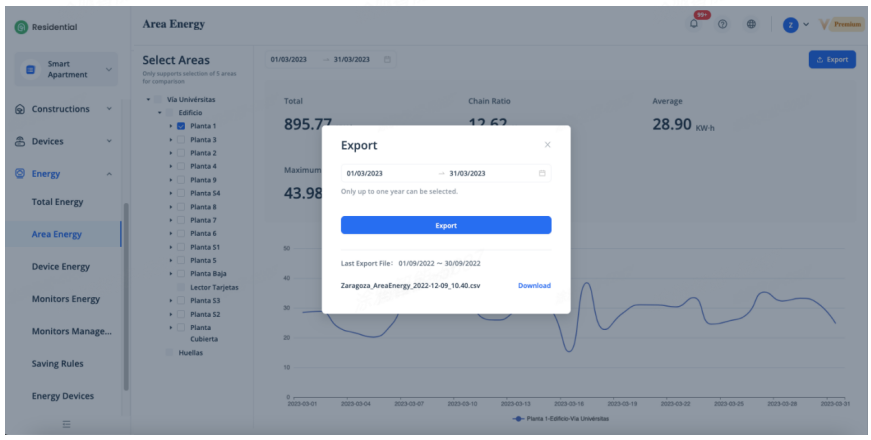
The export of area energy consumption data supports the selection of any time period, and supports the export of energy consumption data for a maximum of one year. The export of area energy consumption data exports all area data which consumed energy consumption by default.
Device Energy
Device energy consumption can collect energy consumption data according to the device category and device dimension. Device energy consumption statistics include accumulative energy consumption, average energy consumption, maximum energy consumption, minimum energy consumption, chain ratio, support the selection of any time period and time dimension, and graphical reports based on time dimension statistics which only support selection of 5 areas for comparison.
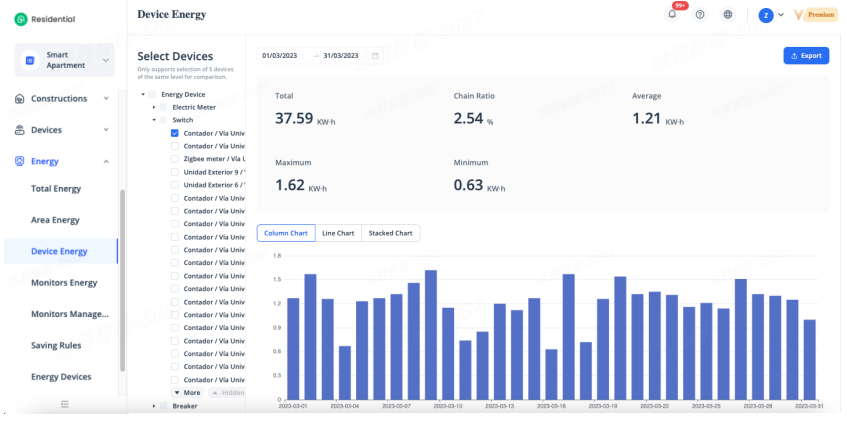
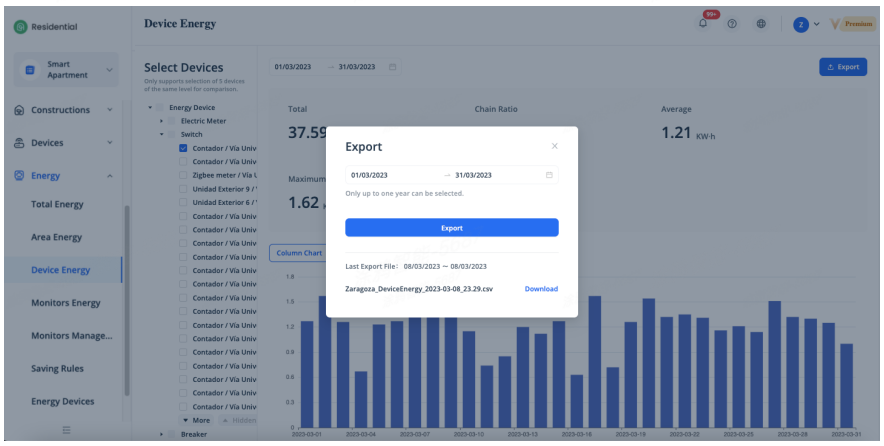
The export of device energy consumption data supports the selection of any time period, and supports the export of energy consumption data for a maximum of one year. The export of device energy consumption data exports all device data which consumed energy consumption by default.
Monitors Energy
Monitors energy consumption displays the statistical energy consumption data of custom monitors, the custom monitors can be created in [Monitors Management]. Monitors energy consumption statistics include accumulative energy consumption, average energy consumption, maximum energy consumption, minimum energy consumption, chain ratio, support the selection of any time period and time dimension, and graphical reports based on time dimension.
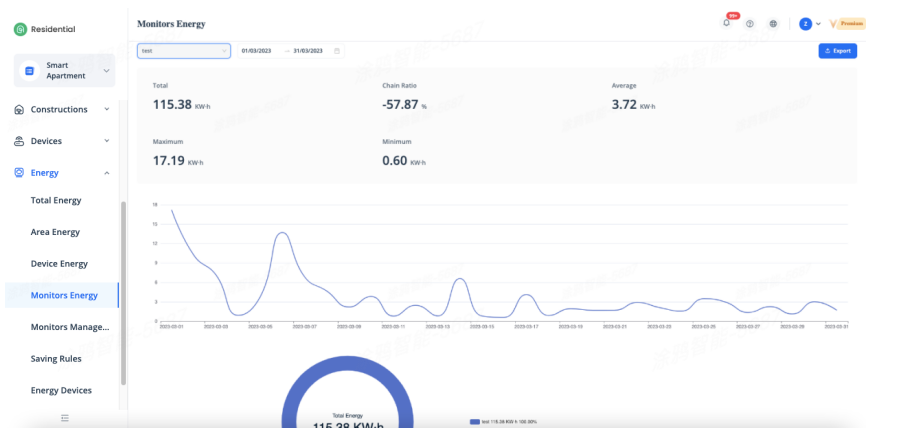
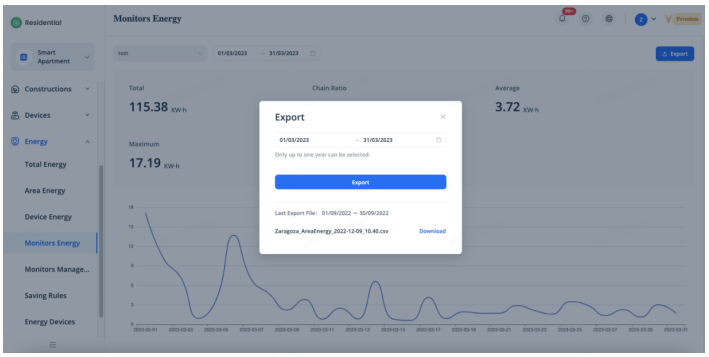
The export of monitors energy consumption data supports the selection of any time period, and supports the export of energy consumption data for a maximum of one year. The export of monitors energy consumption data exports all monitors data which consumed energy consumption by default.
Monitors Management
Monitors management realizes the display and export of energy consumption data of a custom area by customizing the area and associating the energy devices in the corresponding area, and supports the setting of energy-saving rules and devices to realize automation based on energy consumption.
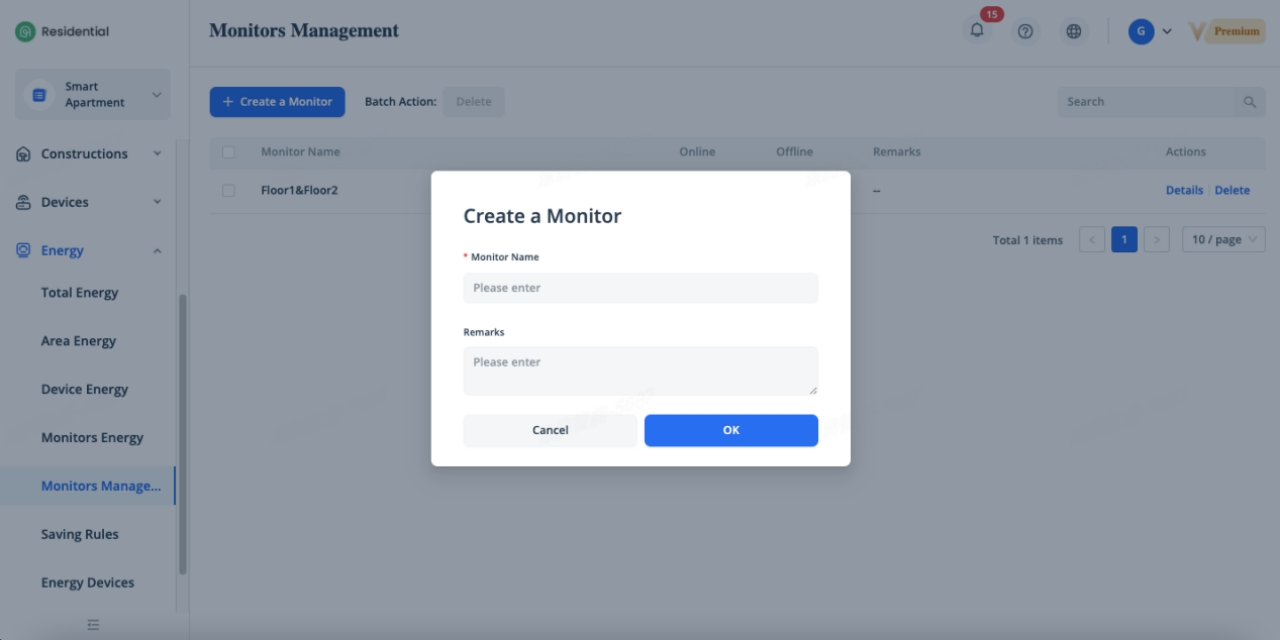
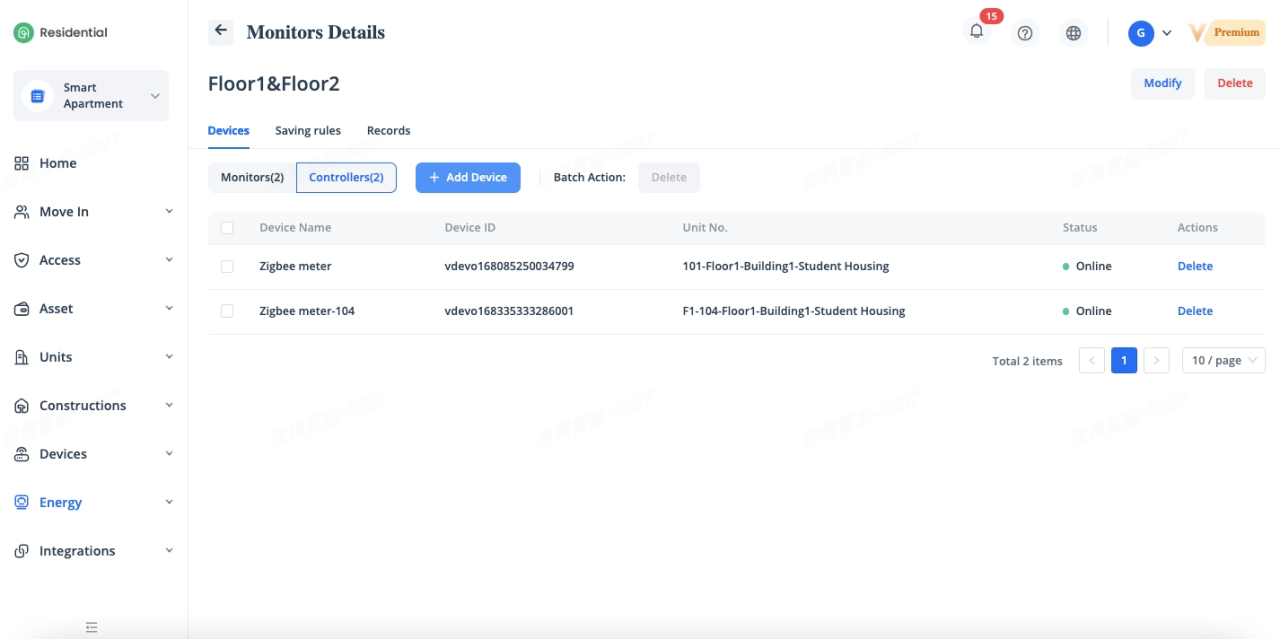
Click [Details] to go to Monitors Details, click [Add Device] to add the energy devices of the corresponding area under [Monitors] tab.
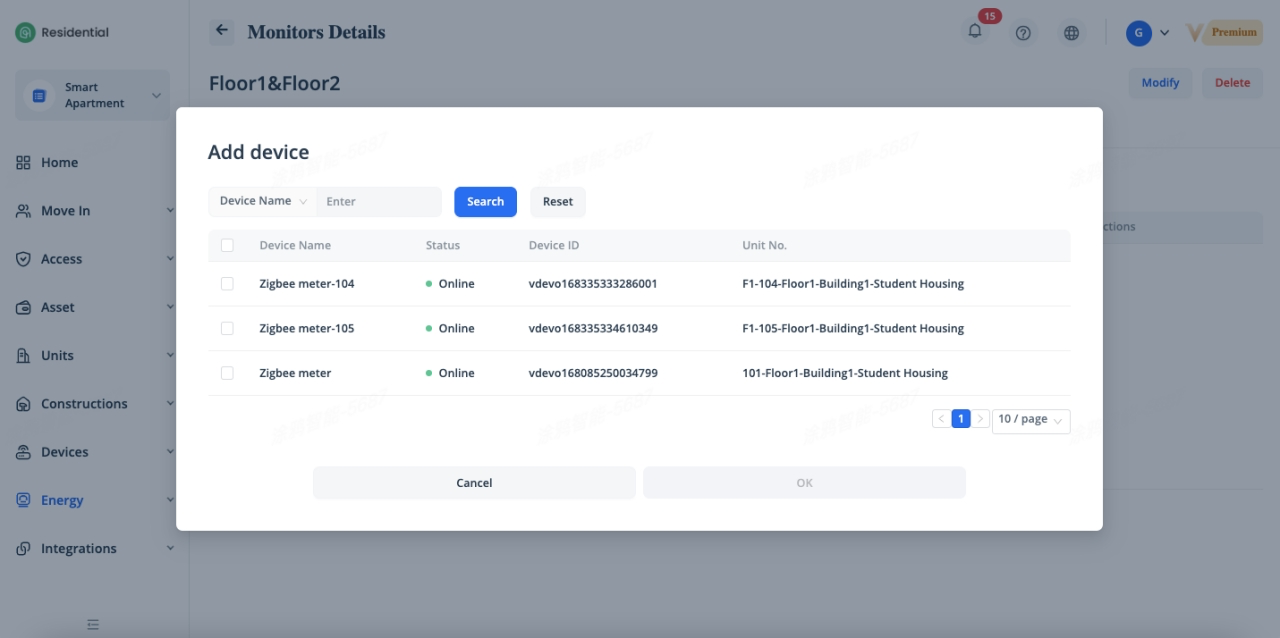
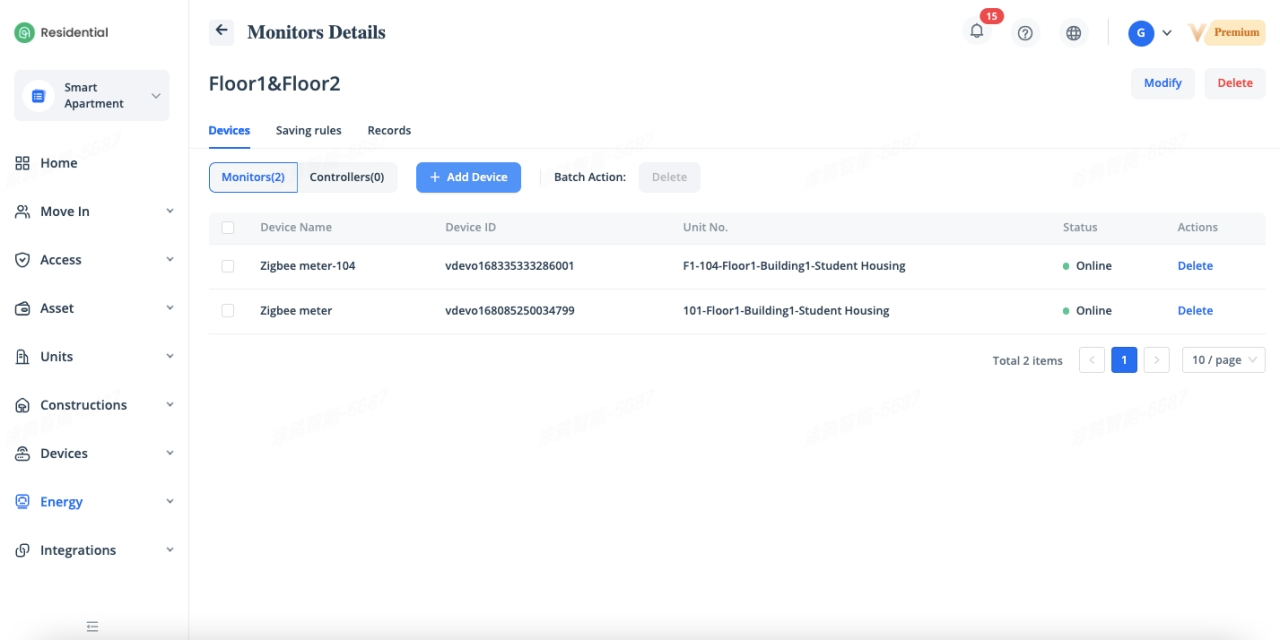
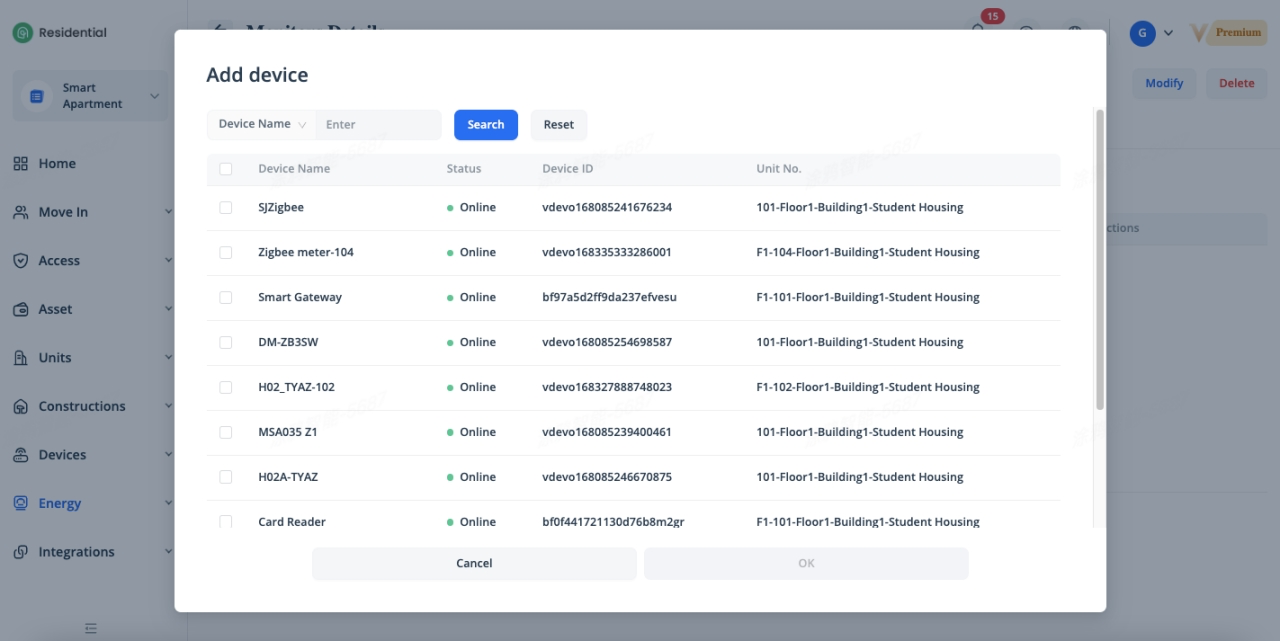
Additionally, click [Add Device] to add the action devices of energy consumption automation under [Controllers] tab, for example, cut the power off of the meter when the energy consumption is over 100KWH. The energy-saving rules can be configured under [Saving Rules] and associated with the monitors.
Saving Rules
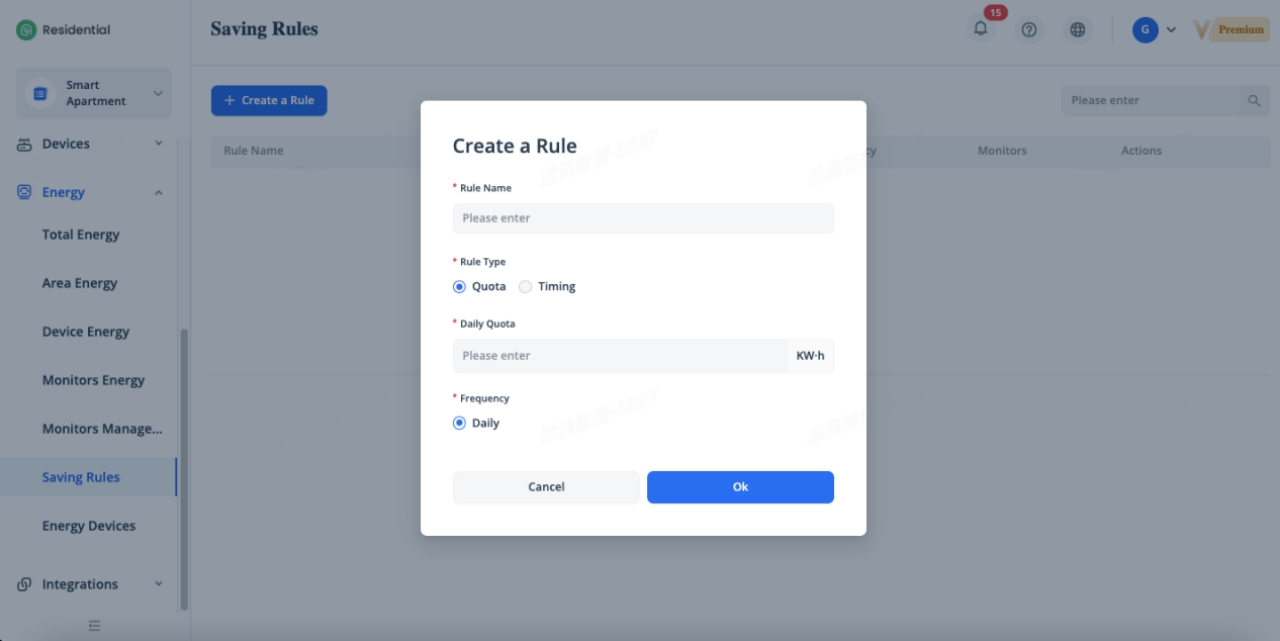
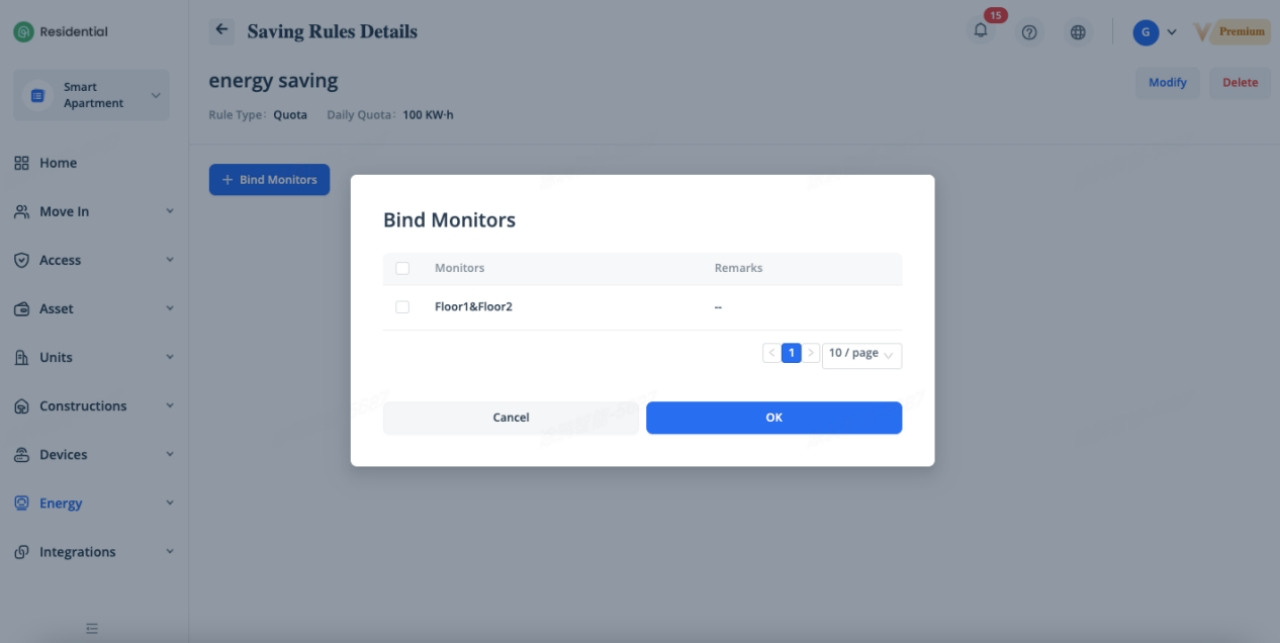
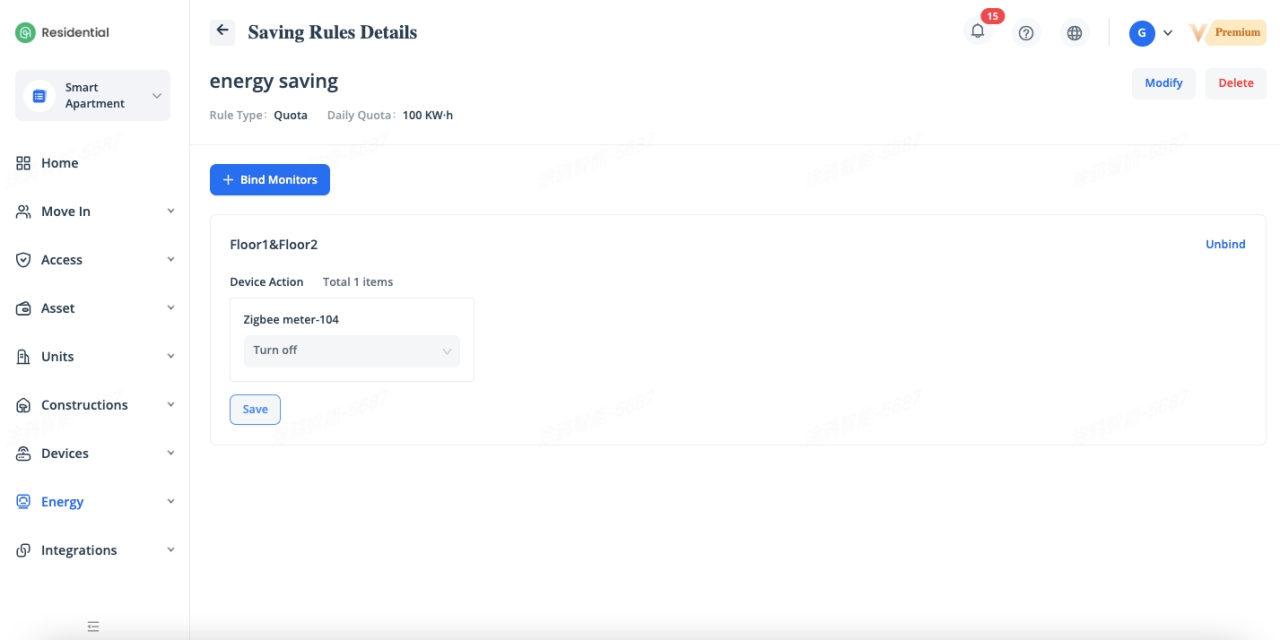
Saving rules support the setting of rules based on quota of energy consumption and time. After binding with monitors, the device actions can be configured according to the devices in the [Controllers] of the monitor, and the corresponding actions will be executed once the conditions are met.
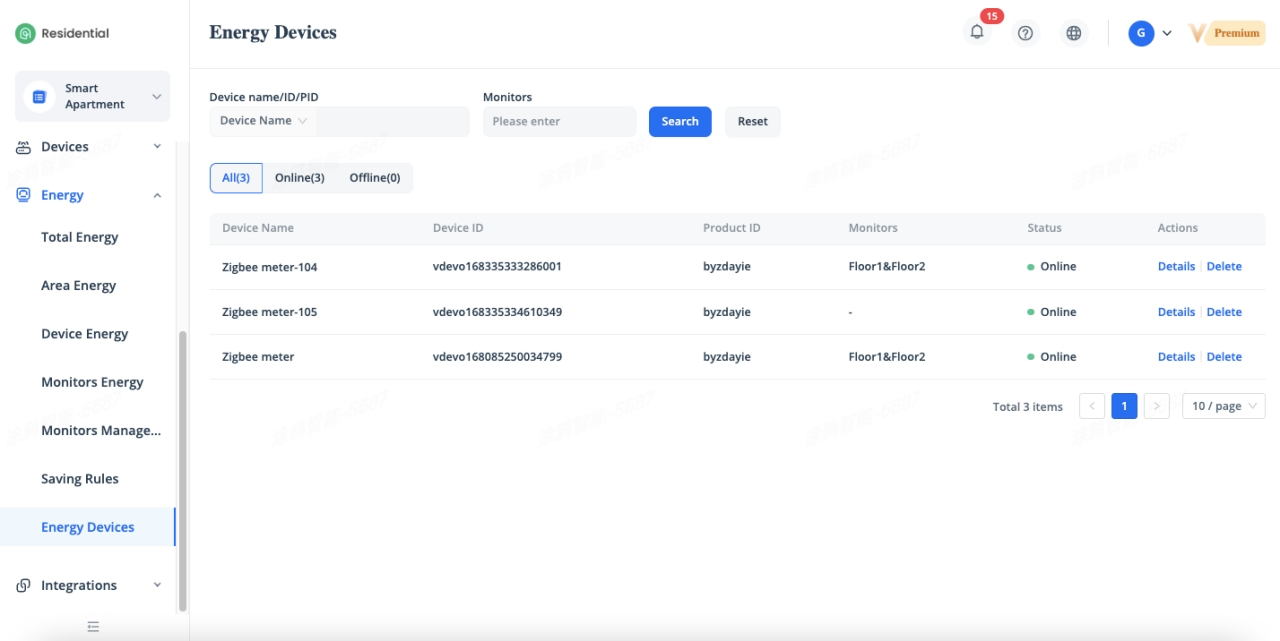
Energy Devices
Energy devices displays the online and offline status of the energy devices and the other device information, including the device name, device ID, product ID, associated monitors, etc.
Related Topics