[Property Manager] Integration Management
Last Updated on:2023-05-29 05:50:08
PMS Integration
PMS(Property Management System)is used for room management, check-in management, reservation management in the hotel and property industry. SaaS platform can be bound to the PMS system and synchronize room and order information from PMS system to Residential SaaS to simplify the operation process for reception.
Currently, only Uplisting is supported.
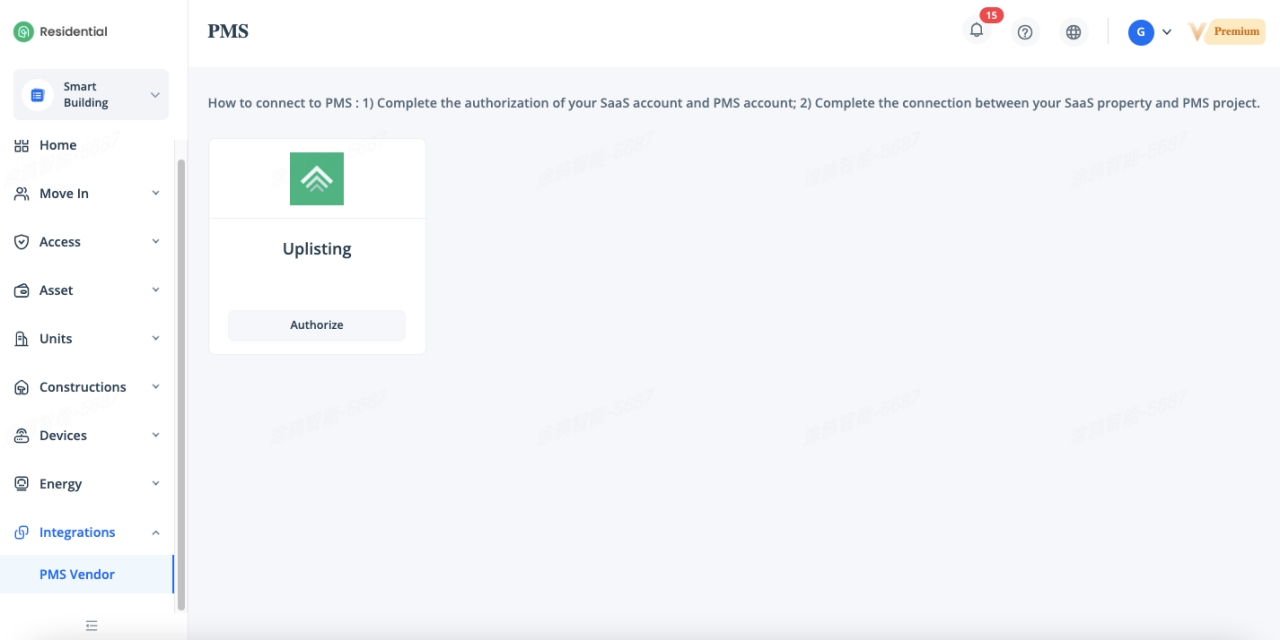
PMS Authorization
Click on the [Authorize], “API_Key” is required for the authorization.
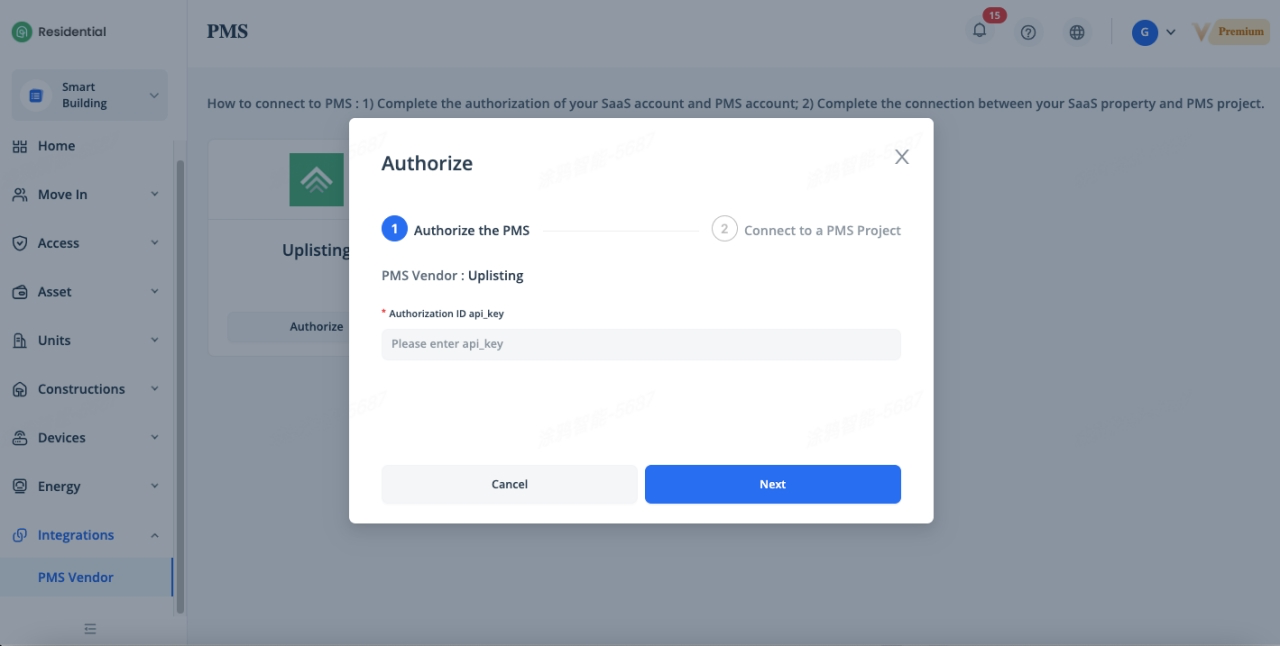
Log in to your Uplisting PMS account, you can get the “API_Key” under [Connect] - [API Key].
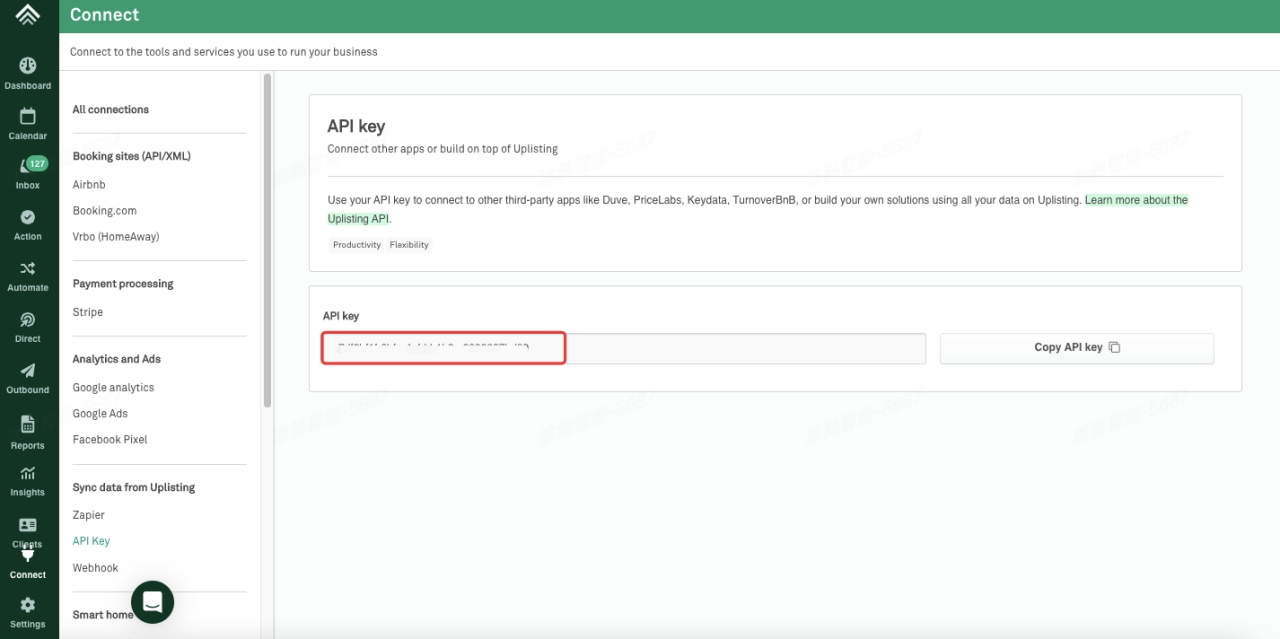
Go back to the SaaS web portal, enter the API_Key and click [Next], select a project which you want to authorize to the current property in drop down list.
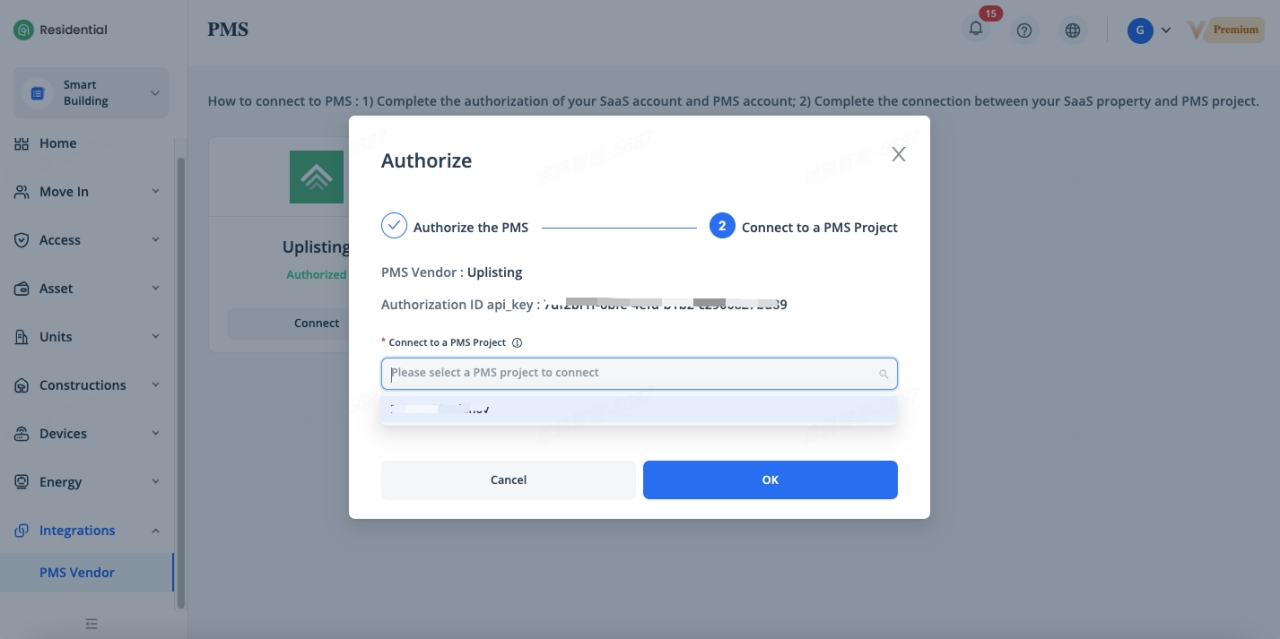
If you haven’t created any space under Unit, the system will automatically create a community named Uplisting. Click [Connect] and select a project in drop down list again to complete the authorization.
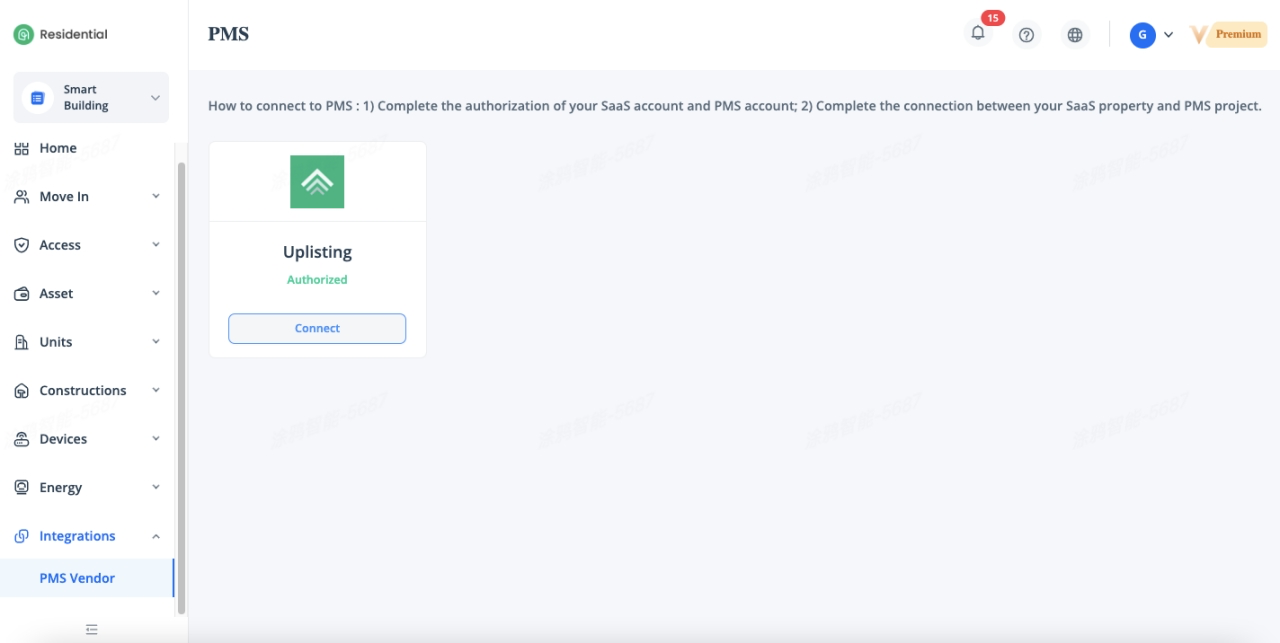
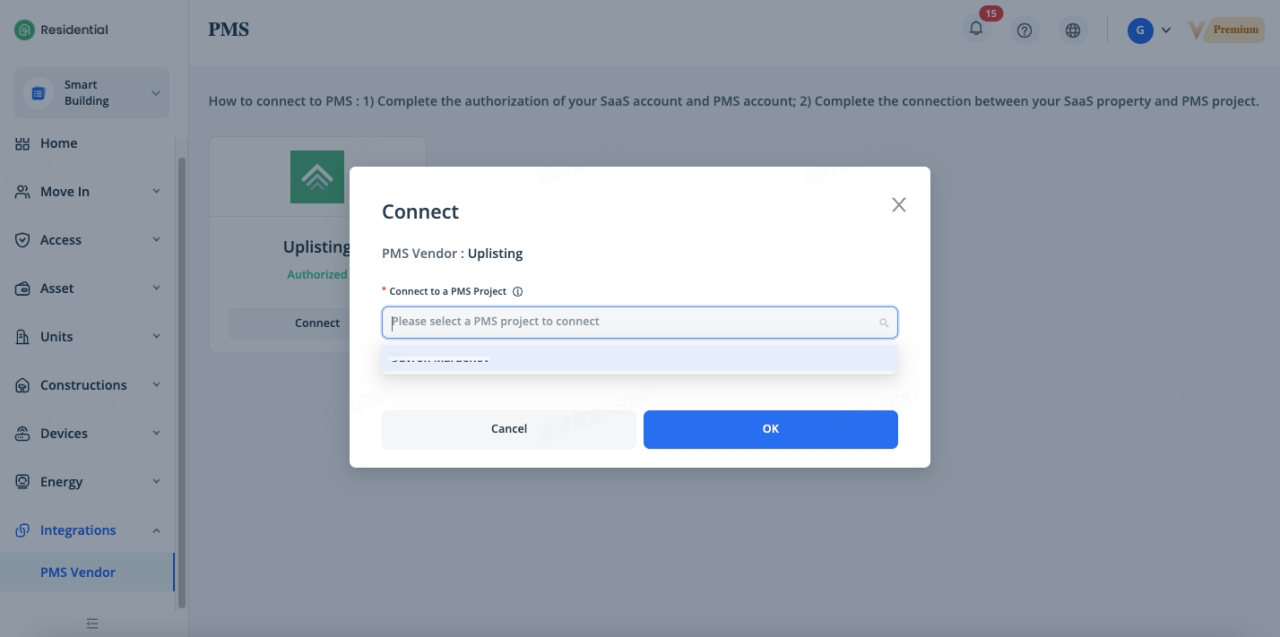
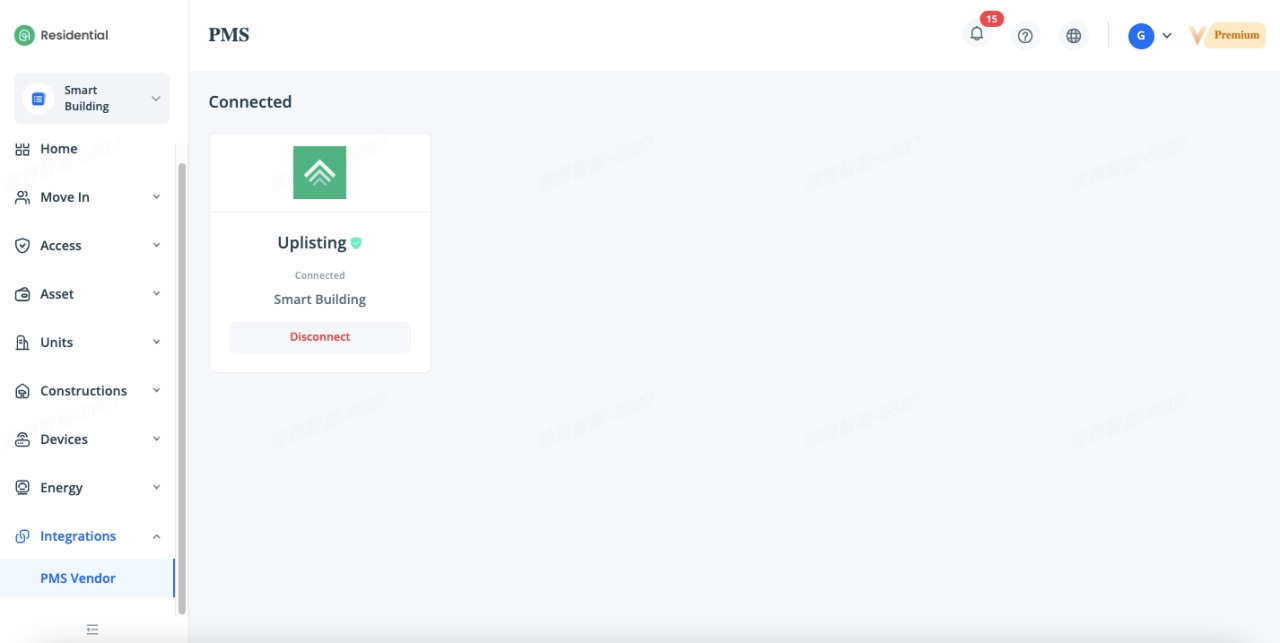
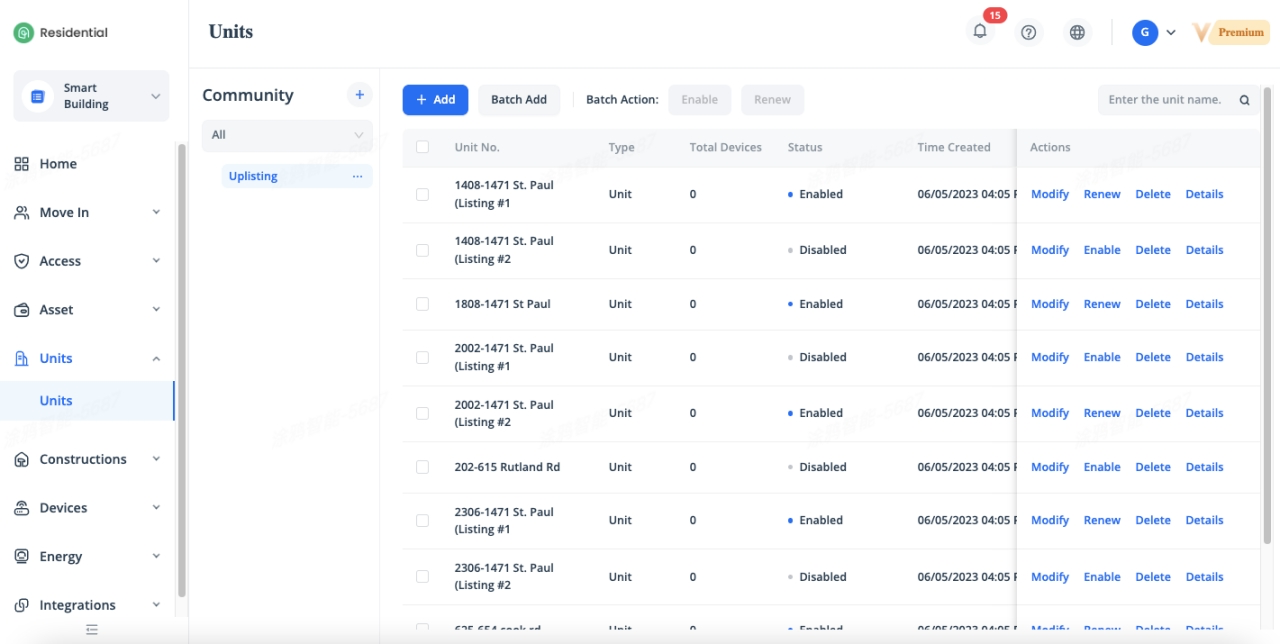
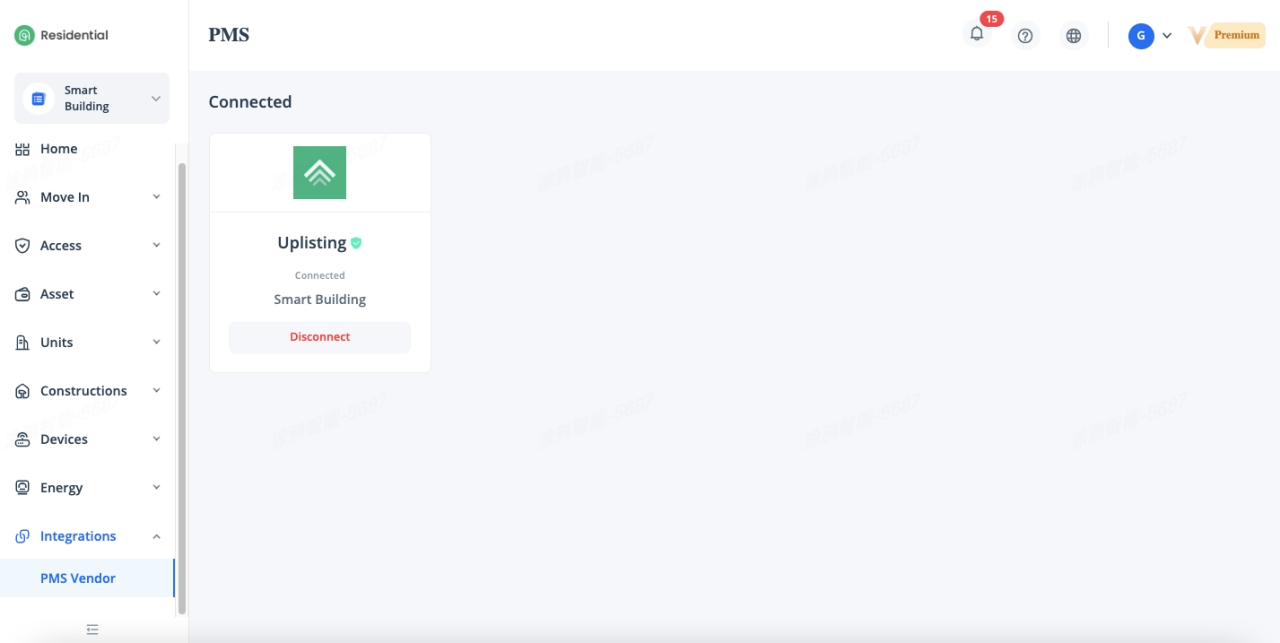
Once the authorization is complete, the authorization status will be changed to “Connected”. And the room information will be automatically synchronized from PMS system to SaaS platform and the system will automatically enable the units if the room license is enough, otherwise, you need to enable the units manually.
PMS Disconnection
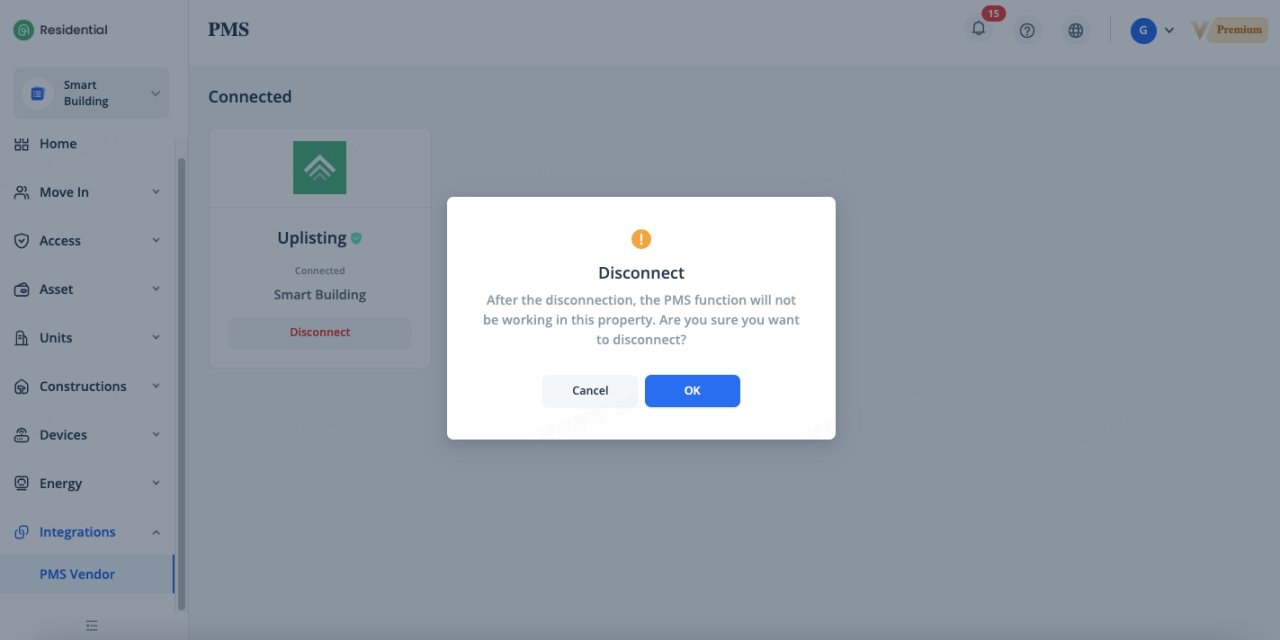
If you don’t want to automatically synchronize the reservation and room information anymore, it’s available to disconnect it by clicking [Disconnect], after disconnection, the PMS function will not be working in this property.
PMS Deauthorization
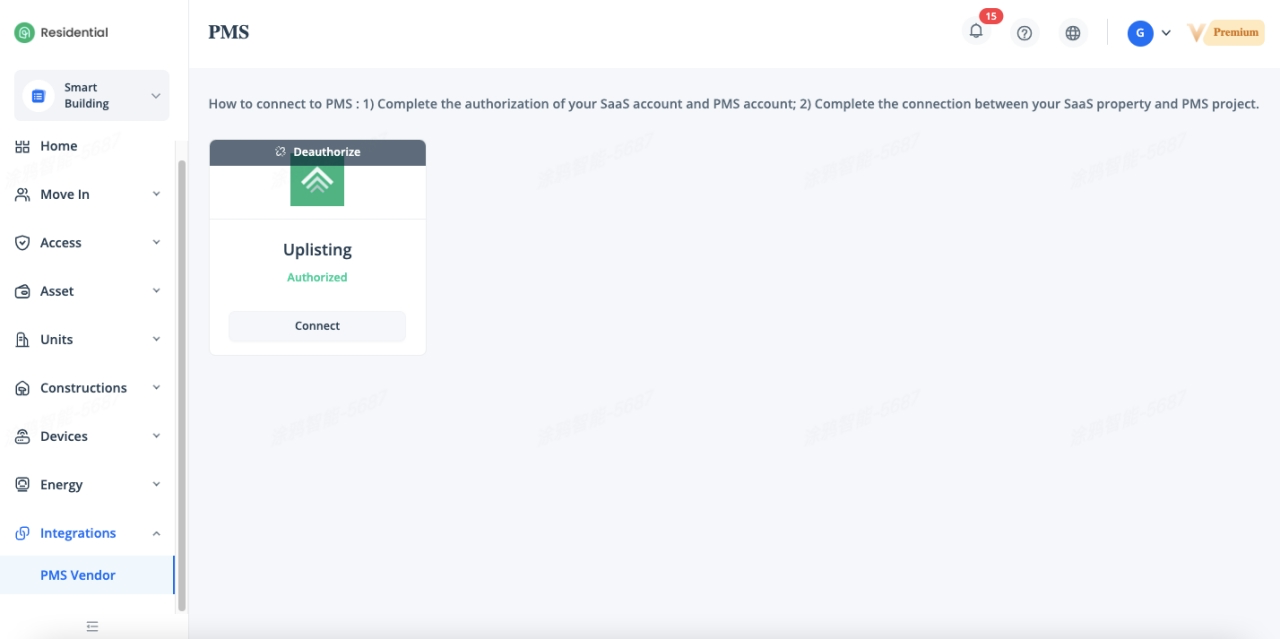
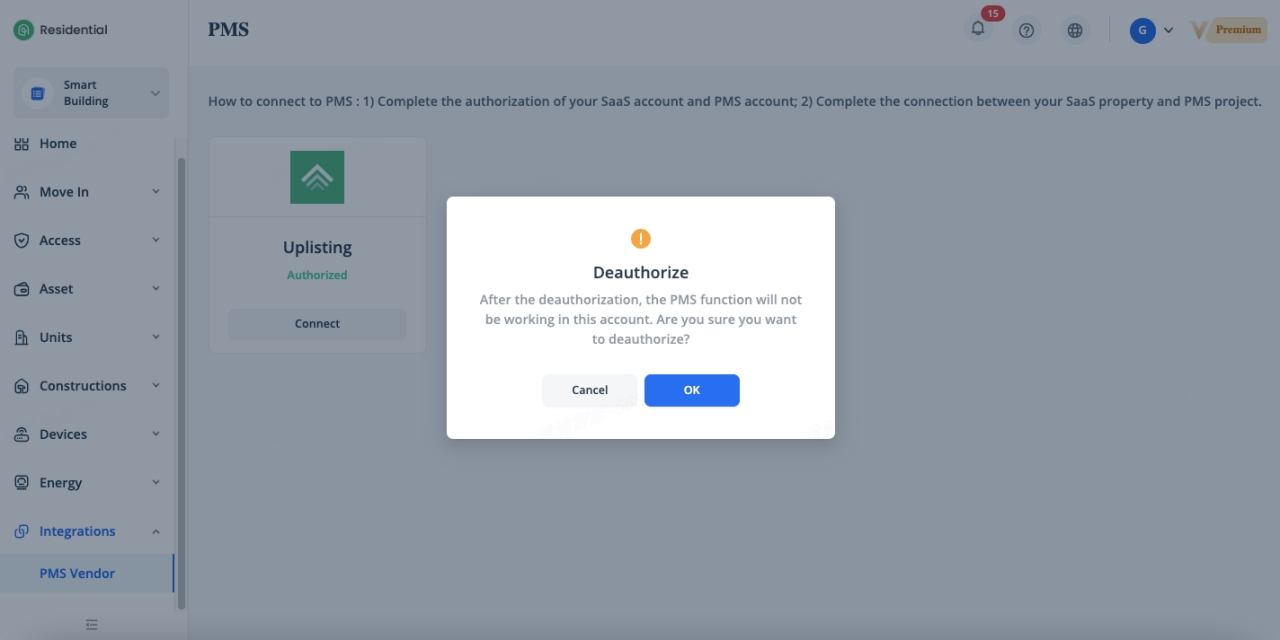
If you don’t want to authorize the SaaS property to synchronize the information from PMS anymore, it’s available to deauthorize it by clicking [Deauthorize ], after deauthorization, the PMS function will not be working in this property.
Related Topics