
Push notifications
Last Updated on:2023-03-16 03:28:46
Push notifications
Push is the most common method to reach users in app . App mall supports merchants to touch all users.
App push notifications
- After the customer downloads the app and registers the app, the information will be stored in the servers of Tuya, Apple and Google; App push notification is base on customer's device information.
- When you try to send notification to your customers in App Mall, Tuya assembles its push content and pushes devices to Apple and Google servers;
- The final push notifcation is actually completed by Apple and Google servers. They will push according to whether the device has uninstalled the app, turn on notifications and personalization.

Constraint
- At present, Tuya, as the provider of smart apps, we have different restrictions on marketing notifications in order to ensure that users have a good user experience;
- For whether ordinary users can receive push notification, when users need to register the app, they have to turn on the system notification switch , the notification settings in app and personalization settings
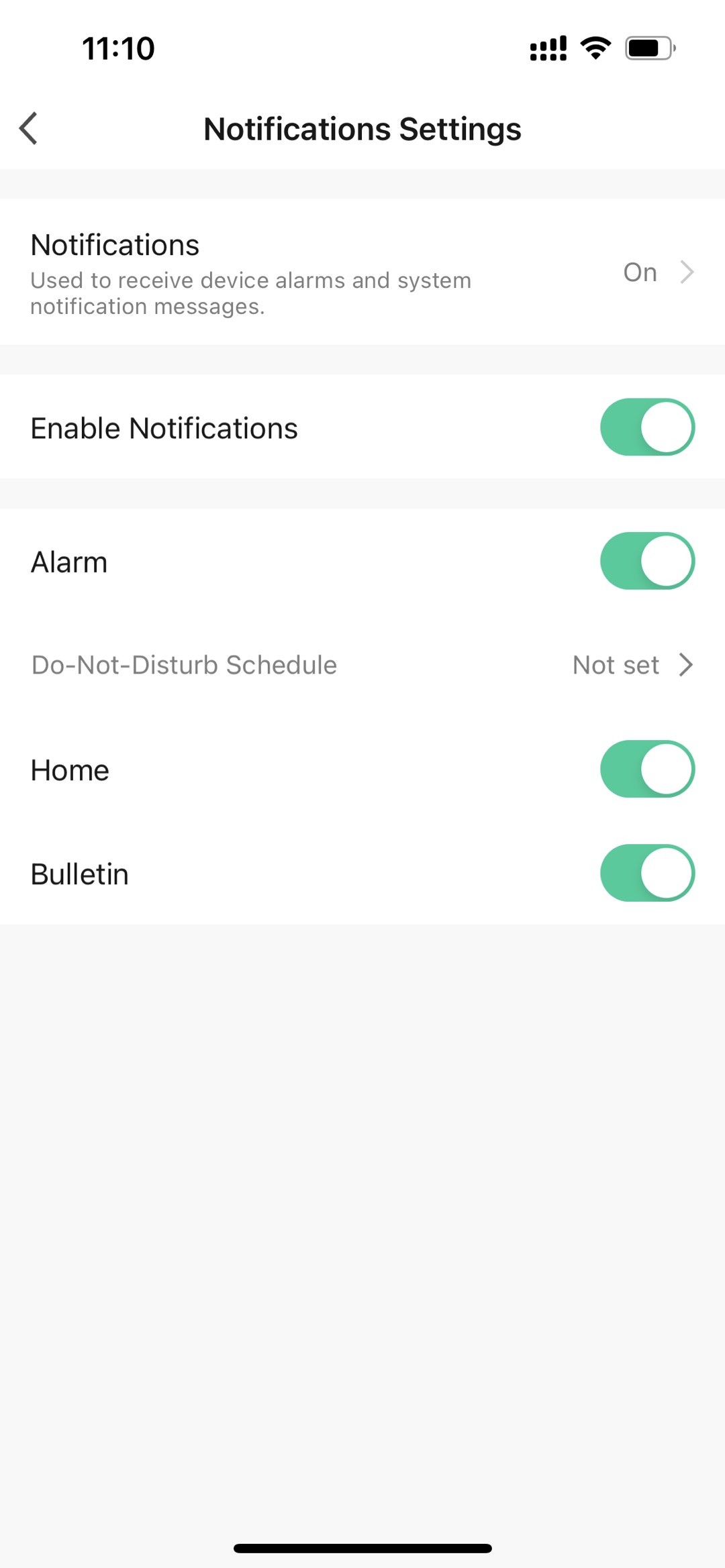
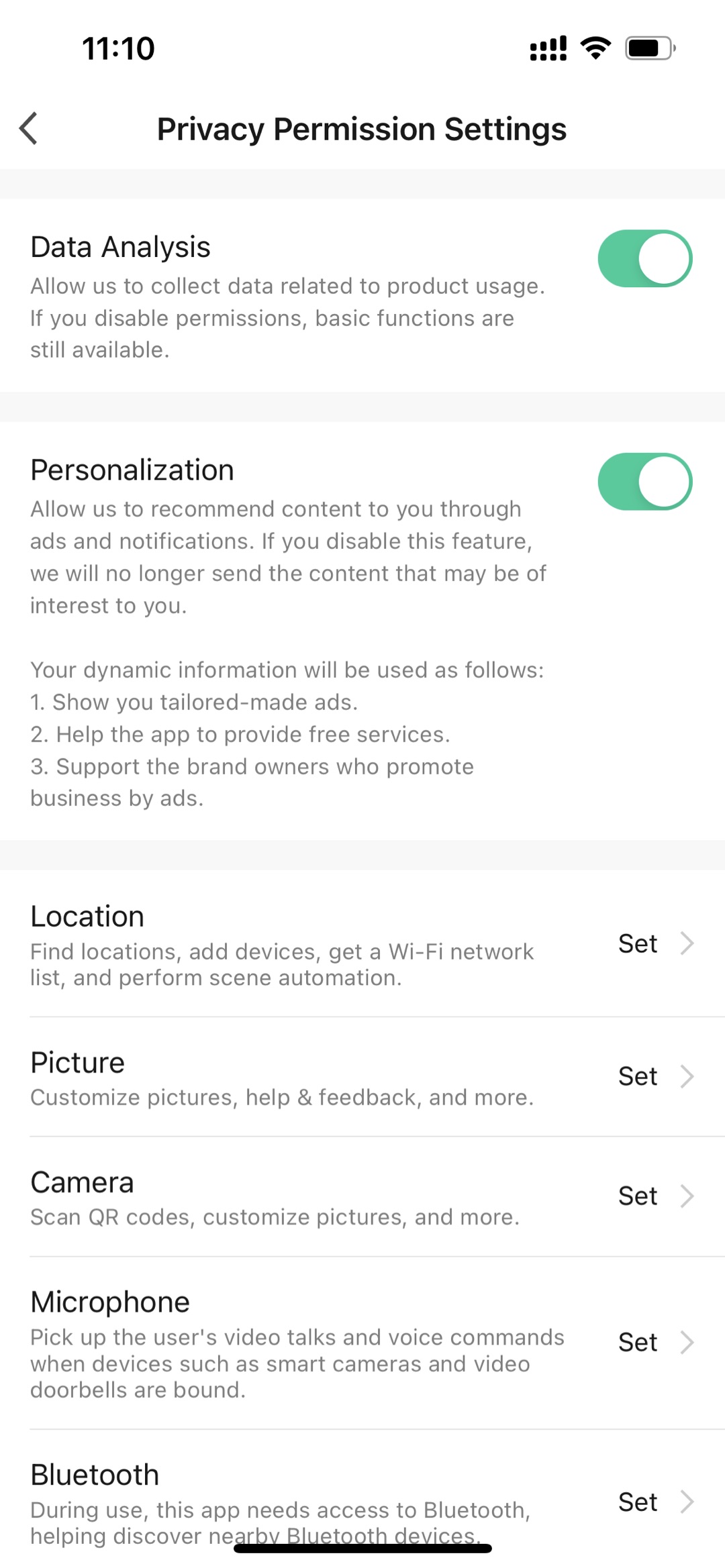
How to work
New push notification
- Through the left navigation menu, enter the "Marketing" menu, click "Push" to enter the push management page
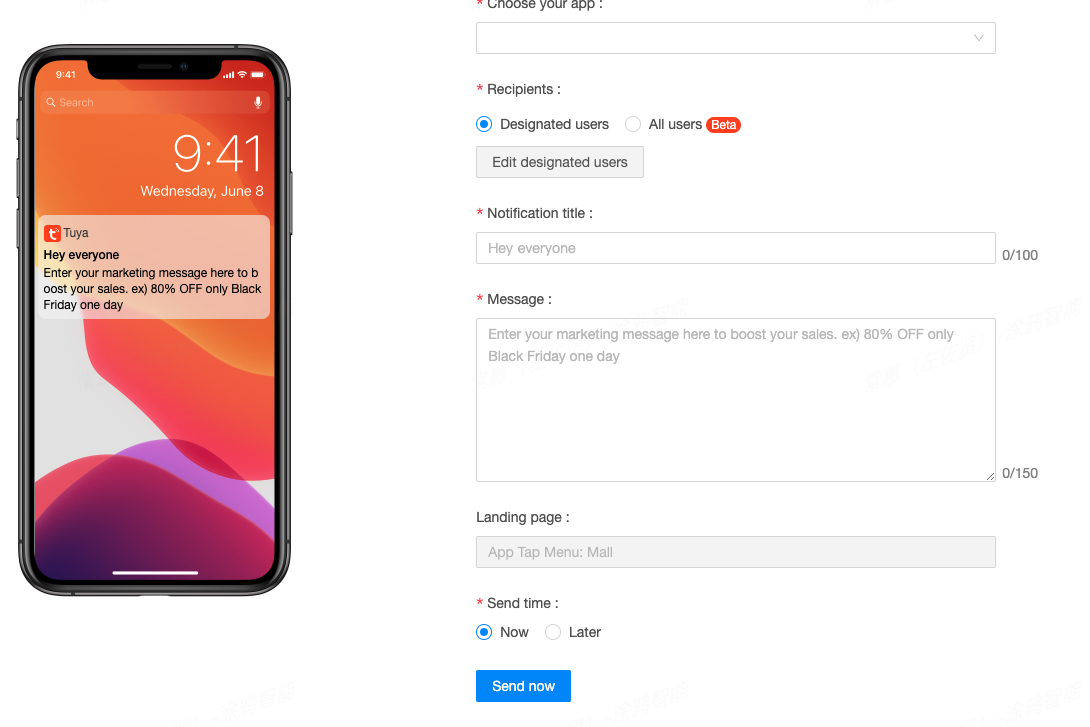
- Click 'New push notification' button to start your
- Choose your App
- Recipients
You could choose 'Designated users' to test.
Or you could choose 'All users' to test
All users
In End-to-End App Mall, it means your current sale country.
In Plug-in App Mall, it means your sales region of your store.
- Notification title
Refer to the picture on the left and modify it to your activity title
- Message
Refer to the picture on the left and modify it to your campaign content
- Landing page
Currently it only supports home page of App Mall. It will support other pages in future.
- Send time
You could choose 'Now', it means your customers will received your message now. And if your app has millions customers, it needs to take time to reach everyone.
You could also choose "later", then the notification will trigger a push message at the time you set
Push notifications
- Through the left navigation menu, enter the "Marketing" menu, click "Push" to enter the push management page
- You can view all your push notification records in this list.
Is this page helpful?
YesFeedback